See it in action

Free estimating and job management software, from first quote to final payment

Follow one job through Universal Workflow: the customer inquiry, the estimate, the approved job, the schedule, the invoice and the payment. Every screenshot is the real app, filled with sample data.

Free forever plan · No credit card required

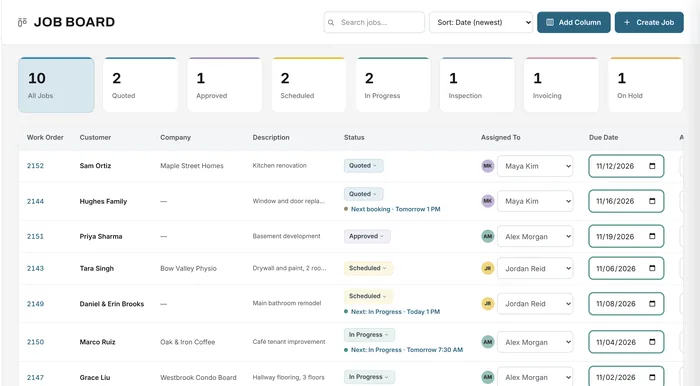
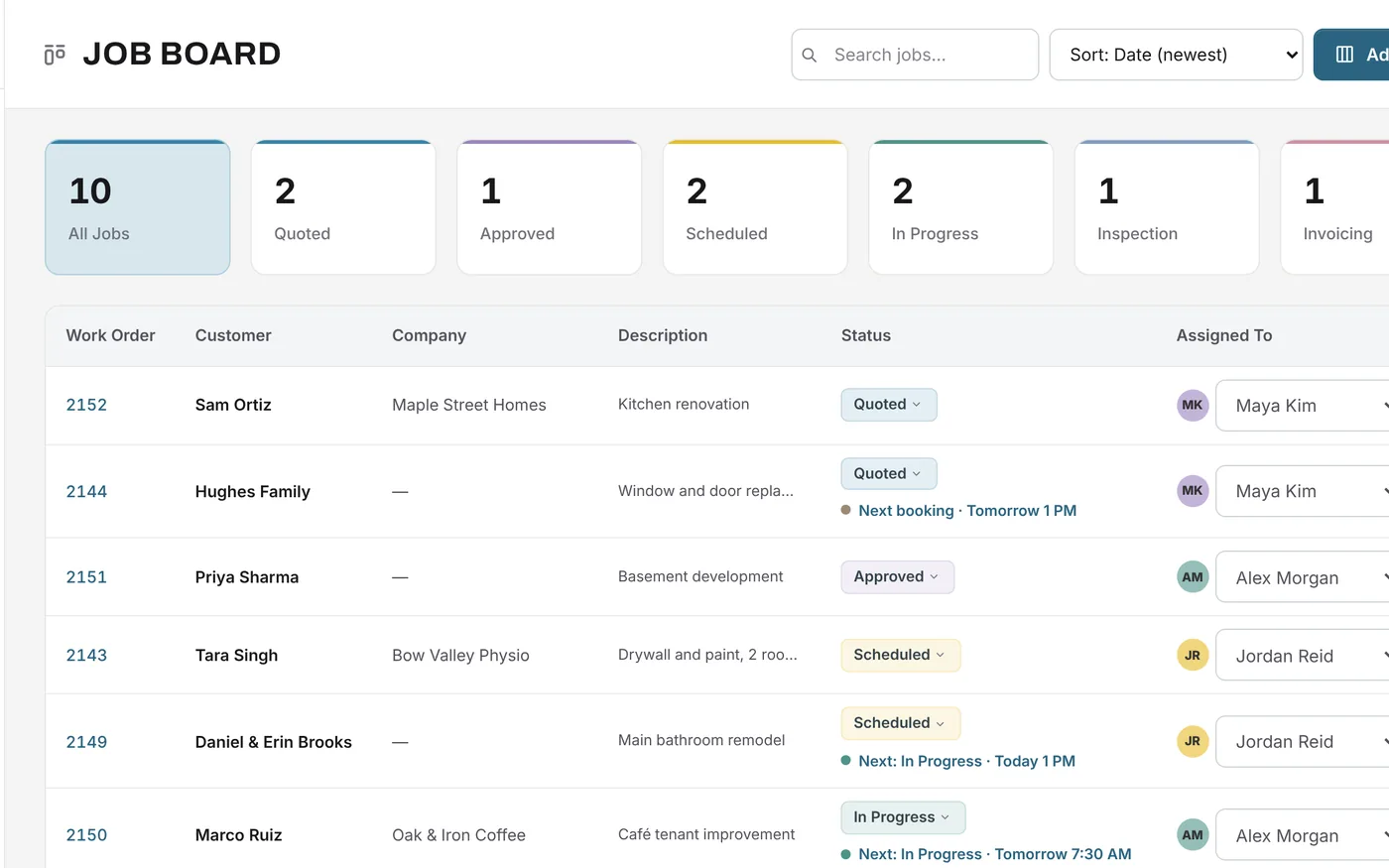
Universal Workflow job board: status counts and a list of jobs with their status, assignee and due date
The job board in Universal Workflow. Sample data.
  • Free forever planNo credit card, no time limit
  • QuickBooks OnlineOn Growth and Premium
  • Payments to your own StripeCard, Apple Pay, Google Pay, bank debit
  • e-Transfer and chequeInstructions on the invoices you choose
  • Encrypted connectionsCard details handled by Stripe
  • Built in CanadaFor businesses in Canada and the US

From quote to final payment

How estimating, scheduling and invoicing work together

Each step picks up where the last one left off. The customer and items you enter on the estimate carry into the job, the schedule, the documents and the invoice, so nothing is typed twice.

  1. Learn more about customer inquiry
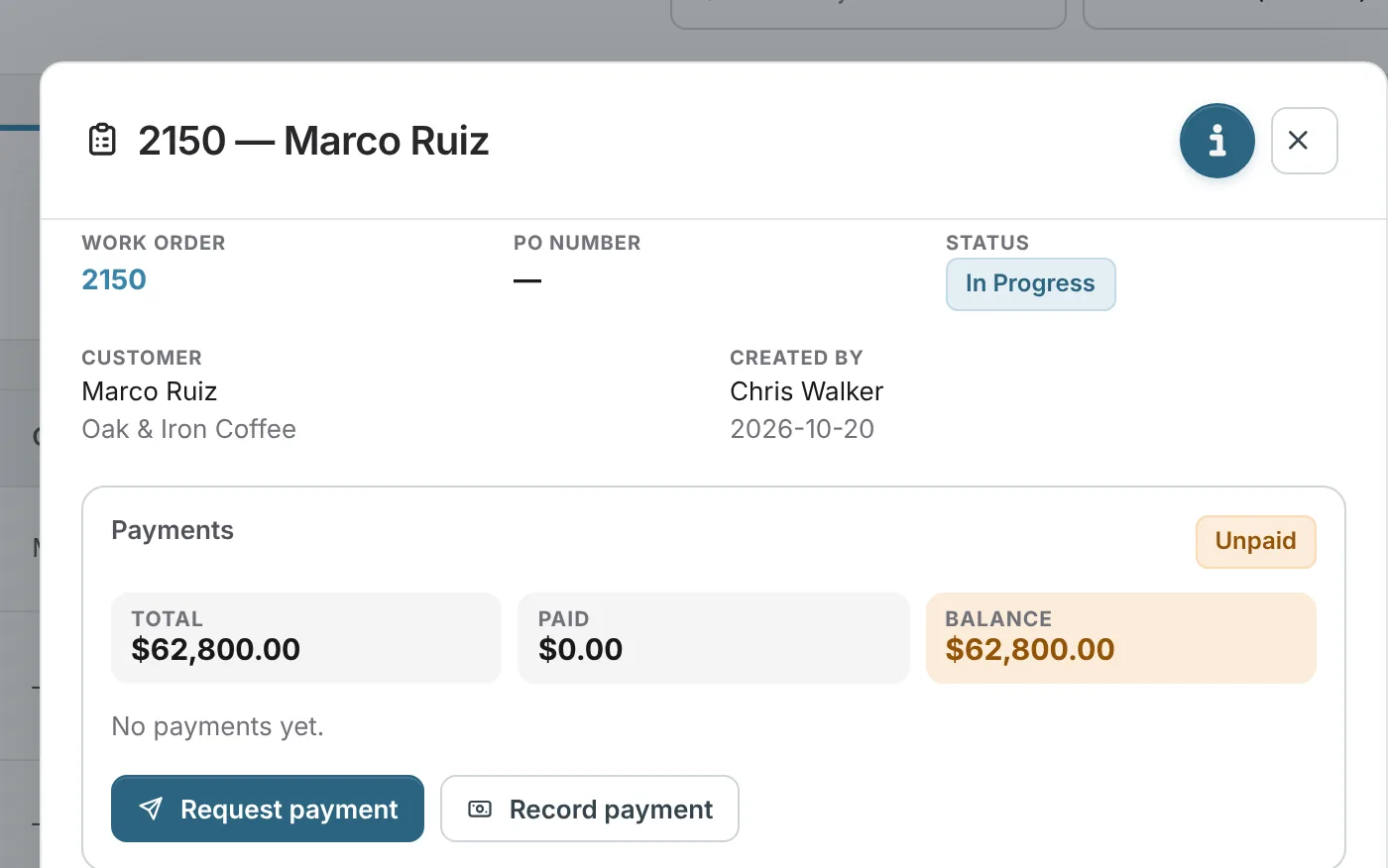
    Job record showing the customer, the job status and the payments panel
  2. Learn more about create estimate
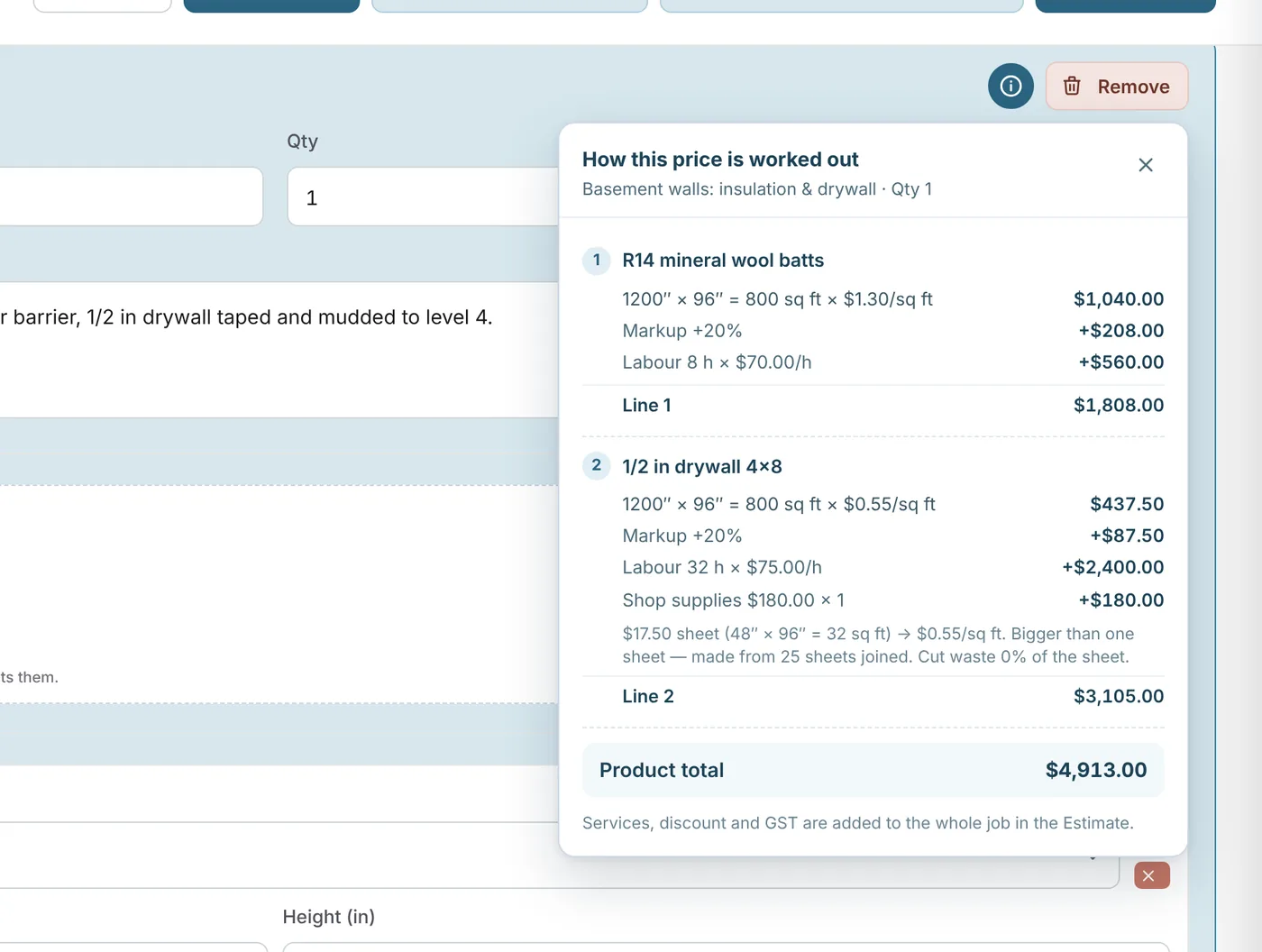
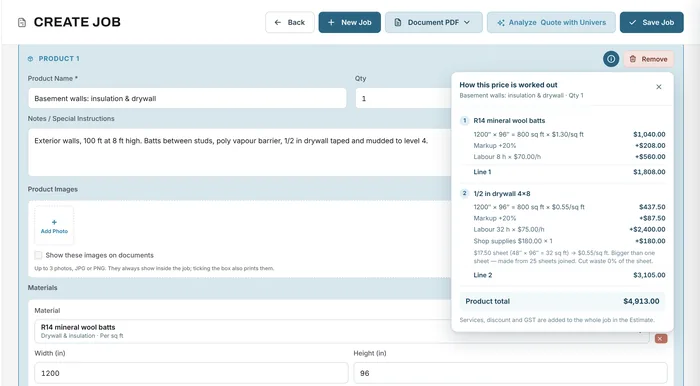
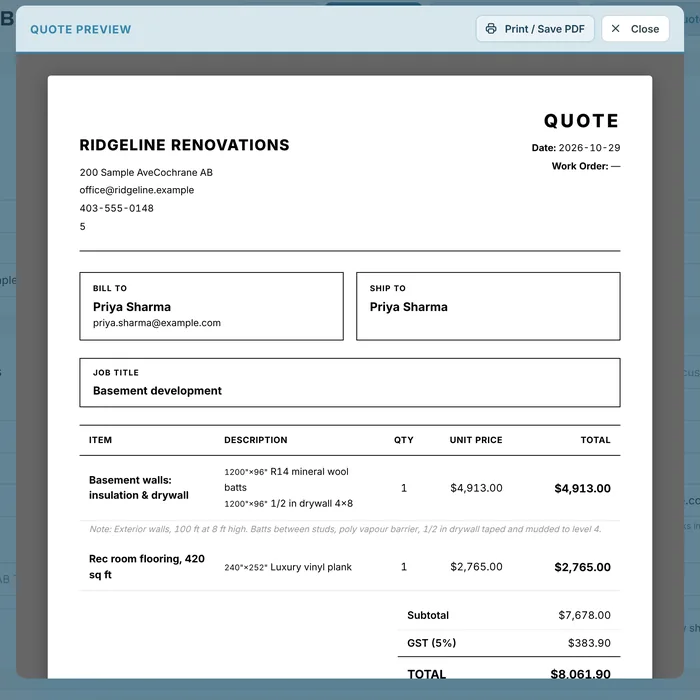
    Estimate with materials and labour, and how each price is worked out
  3. Learn more about approve & create job
    Job board with status counts and a list of jobs
  4. Learn more about schedule & track work
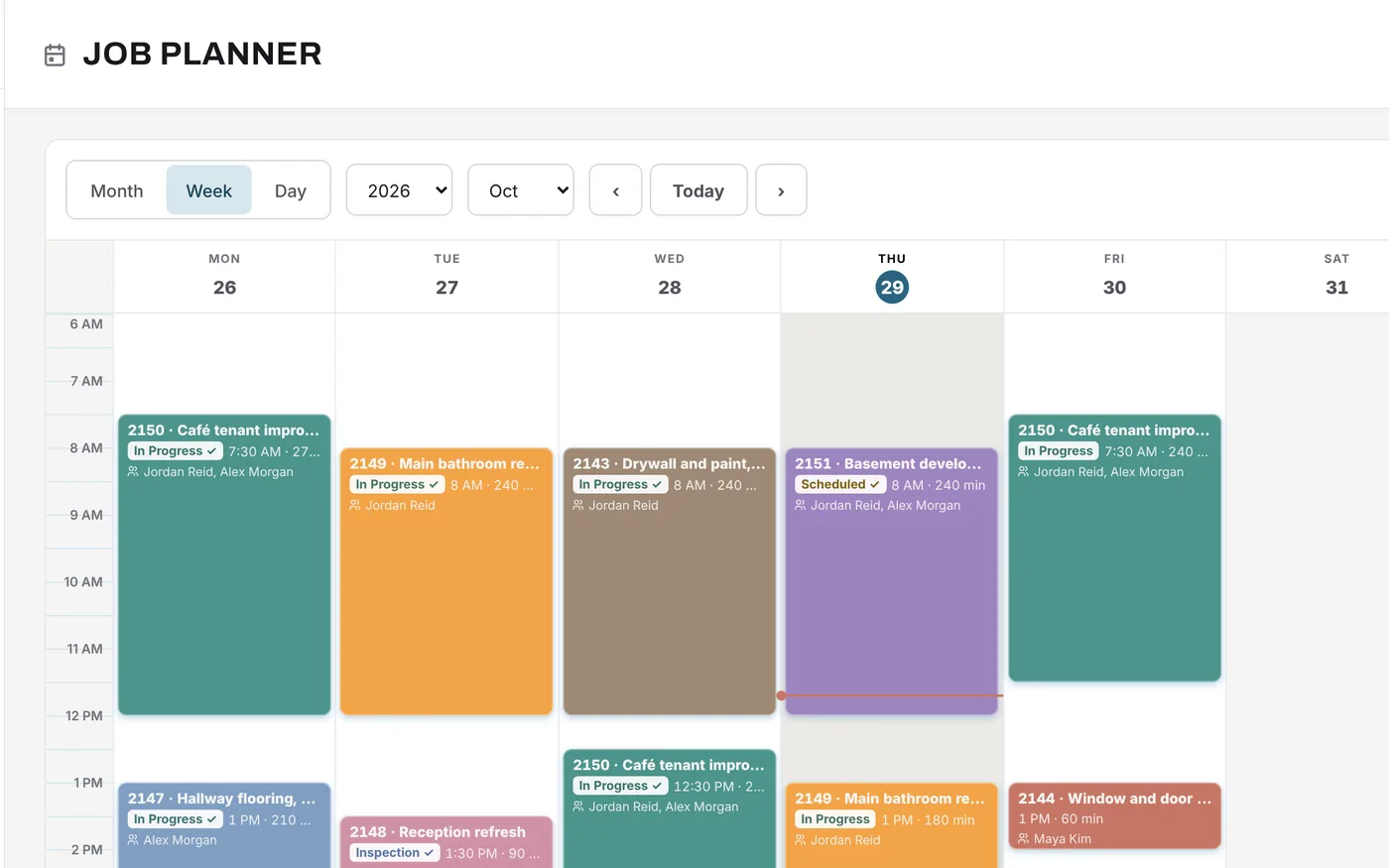
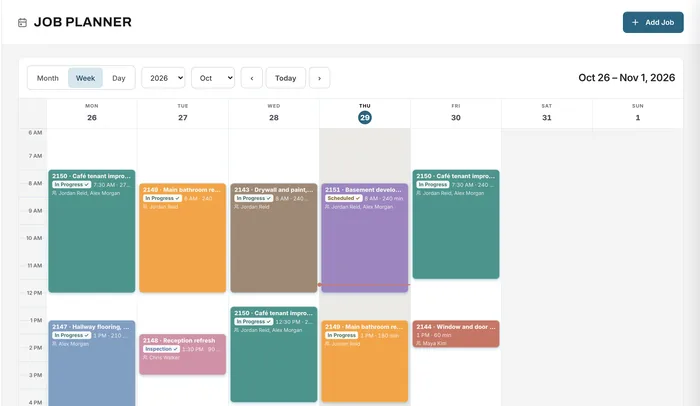
    Week planner with crew bookings on each job
  5. Learn more about generate invoice
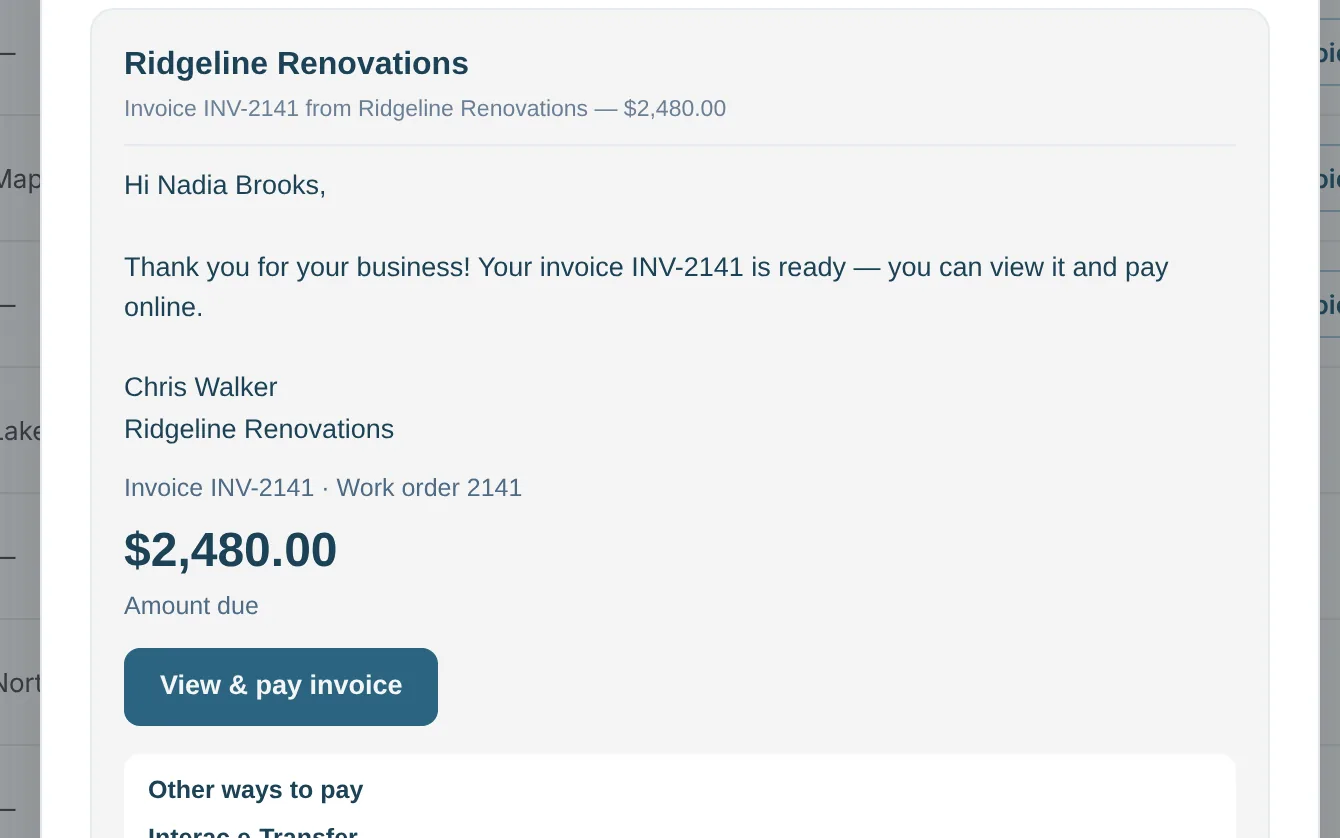
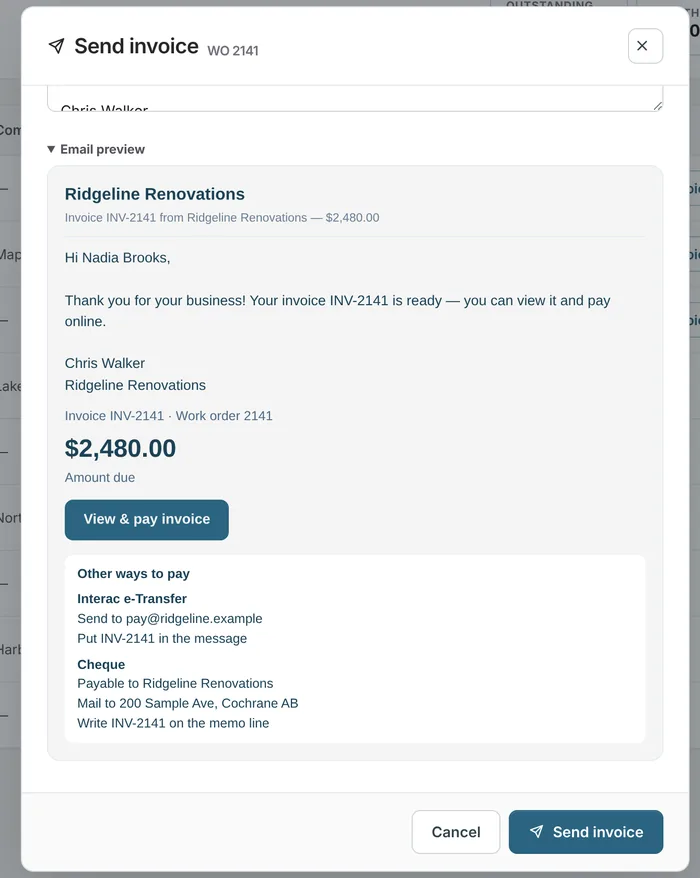
    Invoice email preview with the amount due and a View and pay button
  6. Learn more about receive & record payment
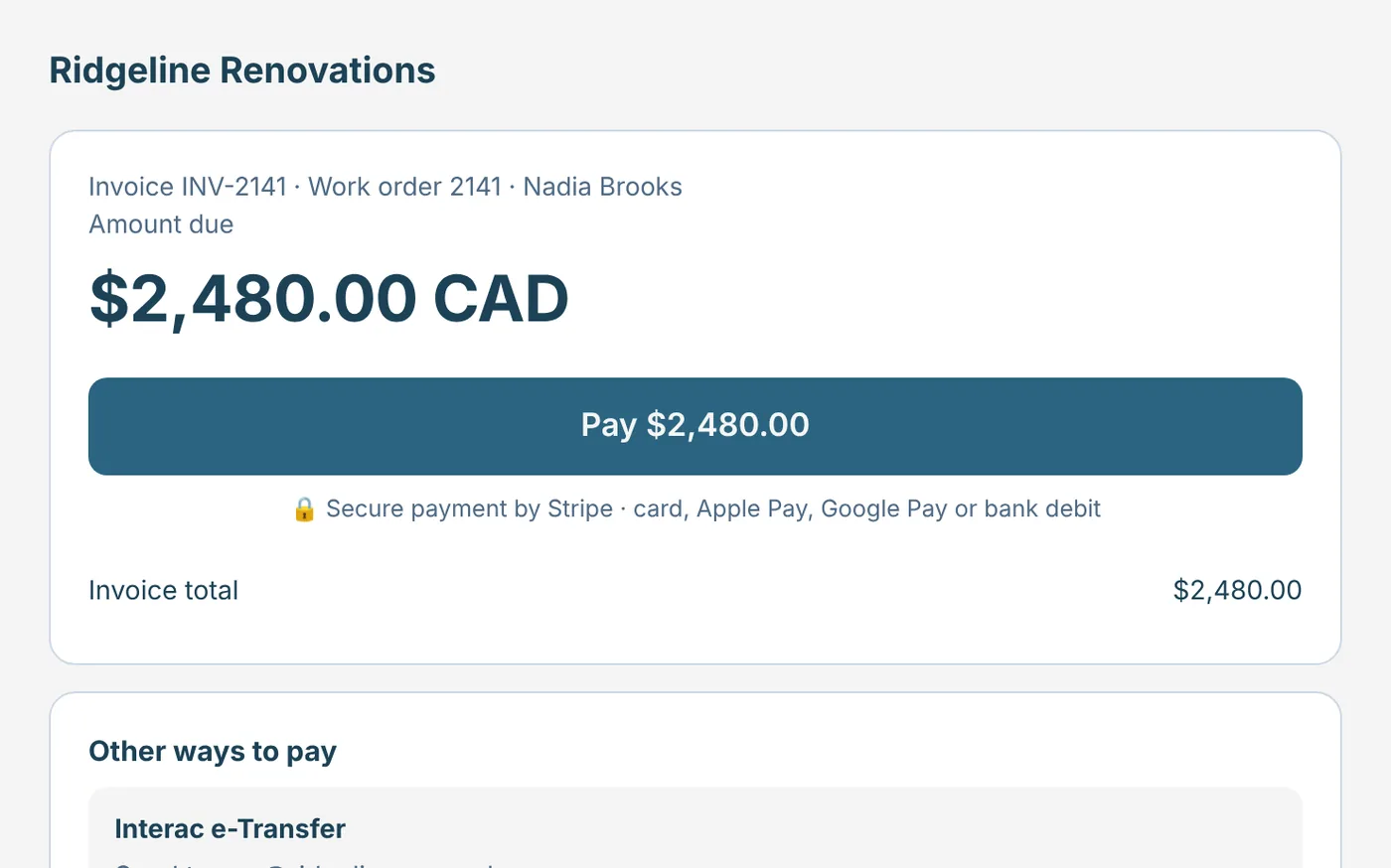
    Customer payment page with a Pay button and other ways to pay
Job record showing the customer, the job status and the payments panel
Step 1: Customer inquiry. Sample data.

Features

Estimating, job management and invoicing features in one platform

Ten parts of the workflow, each with the problem it solves. Every feature has its own page with screenshots and an example.

Estimating & quoting

Quotes built from your real costs

Spreadsheet quotes drift from what materials really cost.

Price sheets, rolls, square feet and pieces with waste, markup, labour and services, and see how every price is worked out.

Learn more about estimating & quoting

Job management

Every job in one record, on one board

Details scattered across folders, phones and inboxes.

Customer, items, files, payments and history together, with your own statuses, owners and due dates on the job board.

Learn more about job management

Scheduling

Crews on the right job, at the right time

Whiteboard schedules nobody else can see.

A day, week and month planner. Bookings carry the crew and the task, and move the job's status when work starts.

Learn more about scheduling

Timesheets

Hours by job, approved in one place

Paper timesheets and payroll done by hand.

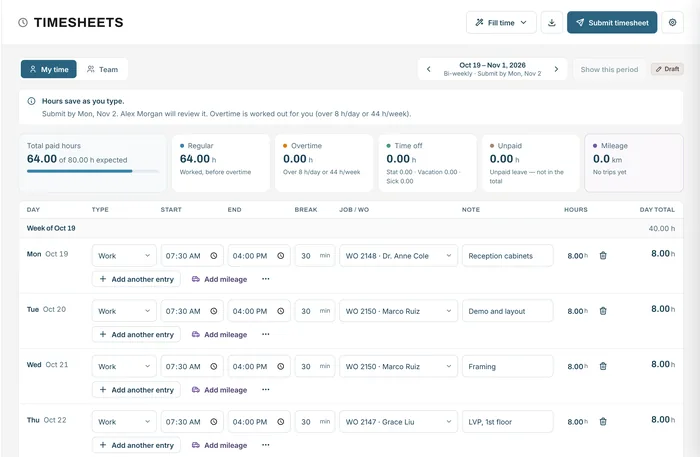
Hours and mileage by job, overtime and stat holidays worked out, approvals, and a payroll CSV. On every plan.

Learn more about timesheets

Roles & permissions

The right access for each person

Shared logins, or everyone sees your margins.

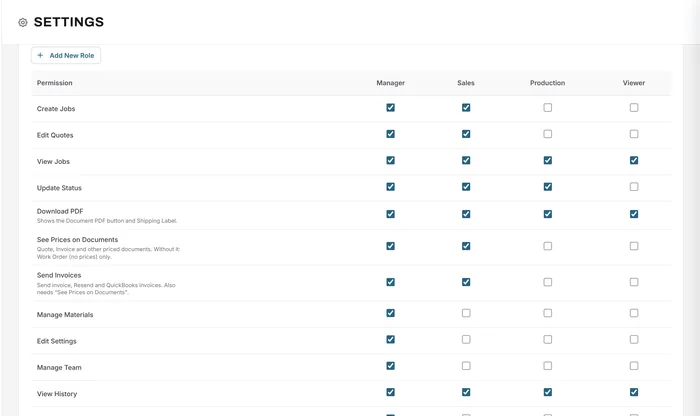
Roles for managers, sales, production and viewers. Decide who sees prices, sends invoices or changes settings.

Learn more about roles & permissions

Purchase orders

Supplier costs tied to the job

Supplier invoices stuck in email.

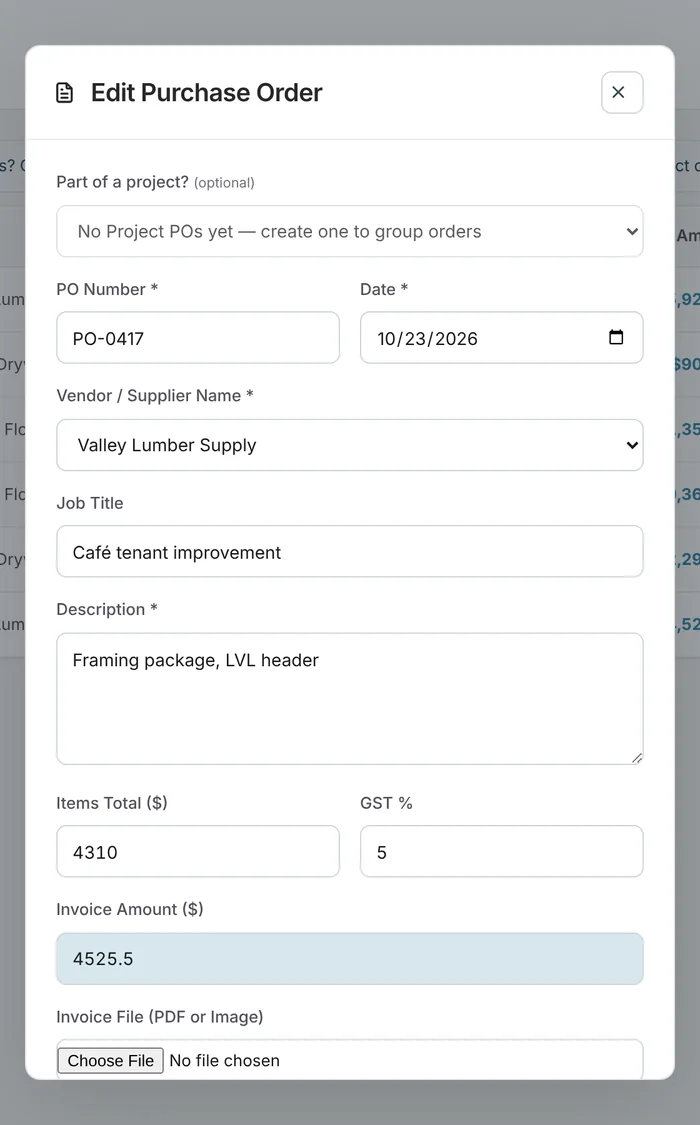
Purchase orders linked to each job with the supplier's invoice attached, and project budgets for bigger work.

Learn more about purchase orders

Documents

Eight documents from one job

The same details retyped for every document.

Estimates, quotes, proposals, order acknowledgements, sales orders, work orders, change orders and invoices, branded and ready as PDF.

Learn more about documents

Invoicing & payments

Invoice the day the work is done

Invoices wait, and customers ask how to pay.

Send invoices with a Pay button and your e-Transfer or cheque details. Online payments mark the job paid.

Learn more about invoicing & payments

Job costing & analytics

Know what you actually made

Profit you only find out about at year end.

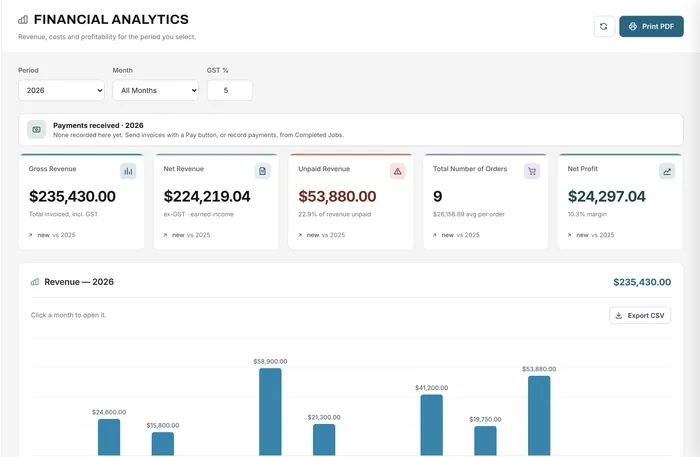
Revenue, unpaid invoices, purchase orders, expenses and net profit for any period, with tax collected and paid.

Learn more about job costing & analytics

Materials & services

A library that saves repeat work

Prices retyped on every quote.

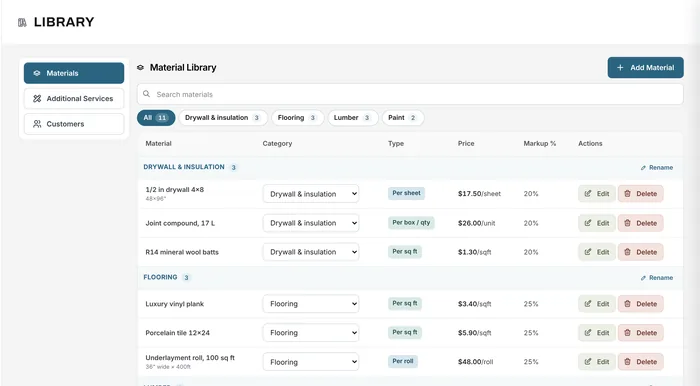
Materials by category with costs, sizes and markups, plus your services and saved customers, ready for every quote.

Learn more about materials & services

See all features

Industries

Job management software for trades, contractors and shops

Whether you work on job sites, in a shop or in your customers’ homes, bring quotes, jobs, crews and invoices into one place.

Sign companies

Survey, artwork approval, production and install

See how it fits

Print shops

Large-format and print jobs priced from real media

See how it fits

Fabrication shops

Material, labour and shop time on every job

See how it fits

Manufacturing

Custom orders from quote to production and delivery

See how it fits

General contractors

Estimates, change orders, POs and crews

See how it fits

HVAC

Installs and service calls, quoted and scheduled

See how it fits

Electrical

Quotes, crews, hours and invoices for electricians

See how it fits

Plumbing

Service work and renos without the paperwork

See how it fits

Installation teams

Install crews scheduled, tracked and invoiced

See how it fits

Auto & equipment repair

Parts and labour estimates, work orders and invoices

See how it fits

Service businesses

Cleaning, moving, maintenance and home services

See how it fits

Don’t see your business?

If you quote, schedule and deliver jobs, Universal Workflow fits. Start free and set it up your way.

  • Roofing
  • Flooring
  • Painting
  • Drywall
  • Concrete
  • Fencing
  • Decks & patios
  • Windows & doors
  • Glass & glazing
  • Solar installers
  • Countertops
  • Garage doors
  • Woodwork
  • Security & AV
  • Appliance repair
  • Handyman services
  • Interior design
  • Millwork
  • Landscaping
  • Snow removal
  • Pool & spa
  • Pest control
  • Cleaning
  • Janitorial
  • Movers
  • Junk removal
  • Event rentals
  • Photographers
  • Cabinetry
  • Upholstery
  • Welding
  • Machine shops
  • Vehicle wraps
  • Embroidery
  • Small engine repair
  • IT services
  • Property maintenance

Why it matters

The benefits of estimating and job management software

Less paperwork. More progress. Greater growth. Here is what changes when the whole job lives in one place, from the first quote to the final payment.

Fewer disconnected spreadsheets

Quotes, jobs, schedules, hours, orders and invoices live in one place instead of six files.

Organized estimates and documents

Every quote, work order, change order and invoice is created from, and filed with, its job.

Better communication between teams

The office, the shop and the field see the same status, the same schedule and the same files, with team chat and notifications.

Clear visibility of job progress

Status counts on the job board and bookings on the planner show where every job stands.

Less repeated data entry

The customer and items entered once on the estimate carry into the job, the documents and the invoice.

Easier tracking of costs and payments

Purchase orders, hours and payments are recorded against the job, and analytics adds them up.

Better control over operations

Roles and permissions decide who can see prices, change the schedule, send invoices or edit settings.

Example

A café fit-out, one record

Quote, two purchase orders, three planner bookings, the crew’s hours and the final invoice, all on one $62,800 job.

See how jobs work

Free resources

Free job profit and material cost calculators

Calculators that work without an account, and guides to each part of the workflow. All resources

Free calculator

Job profit calculator

Gross profit, margin and markup for one job

Open

Free calculator

Material cost, waste & markup calculator

Price by unit, box, sq ft, sheet or roll, with waste and markup

Open

Guides

How each feature works

Estimating, scheduling, timesheets, purchase orders, invoicing and job costing, with examples.

Read

By industry

How a job runs in your trade

Sign and print, fabrication, manufacturing, contractors, HVAC, electrical, plumbing and more.

Read

FAQ

Getting started with Universal Workflow

Can’t find your answer? Send us a message and we’ll get back to you.

Can I try Universal Workflow for free?

Yes. The Free plan never expires and needs no credit card: 1 user, 20 new jobs a month and 100 MB of storage. Every new account also gets all Growth features free for its first 14 days. Compare plans.

Do I need to install anything?

No. Universal Workflow runs in your web browser on a computer, tablet or phone, so the office, the shop and the field work in the same app. Our mobile app is coming soon.

Are the screenshots from the real app?

Yes. Every screenshot on this page is Universal Workflow itself, filled with sample data for a made-up renovation company.

Which plan includes these features?

The job board, planner, timesheets and mileage, quotes, work orders, invoices and online payments are on every plan. Essentials adds unlimited jobs, all 8 document types, purchase orders and job costing for up to 5 users. Growth adds full analytics, role-based permissions and QuickBooks Online for up to 10 users, and Premium adds advanced permissions, custom roles and priority support for up to 20 users. See pricing.
Can someone show me around?

Yes. Book a free demo or send us a message about your business, and we can walk through the platform with the way you quote and run jobs.

Your next job starts here

Run your next job from quote to final payment

Start free with your own customers, materials and services. Upgrade only when you need more users or features.

Free forever plan · No credit card required