Estimating & quoting
Price jobs from your real material, labour and service costs
Learn moreFor auto & equipment repair
Estimate parts and labour from your own prices, turn the approved estimate into a work order for the technician, buy parts on purchase orders and send an invoice the customer can pay online.
Free forever plan · No credit card required

What gets in the way
A repair starts with an inspection and ends with an invoice. In between, the estimate, the parts and the technician's hours often live in different places.
Parts prices and labour are rebuilt for every repair.
Supplier invoices sit in a drawer, so the real cost of a repair is a guess.
The vehicle or machine is ready, but the invoice goes out days later.
How Universal Workflow helps
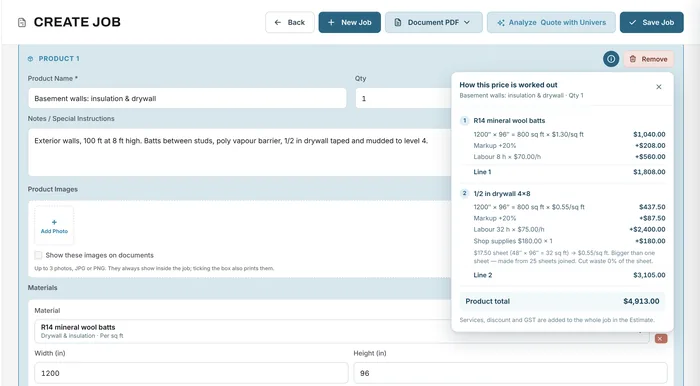
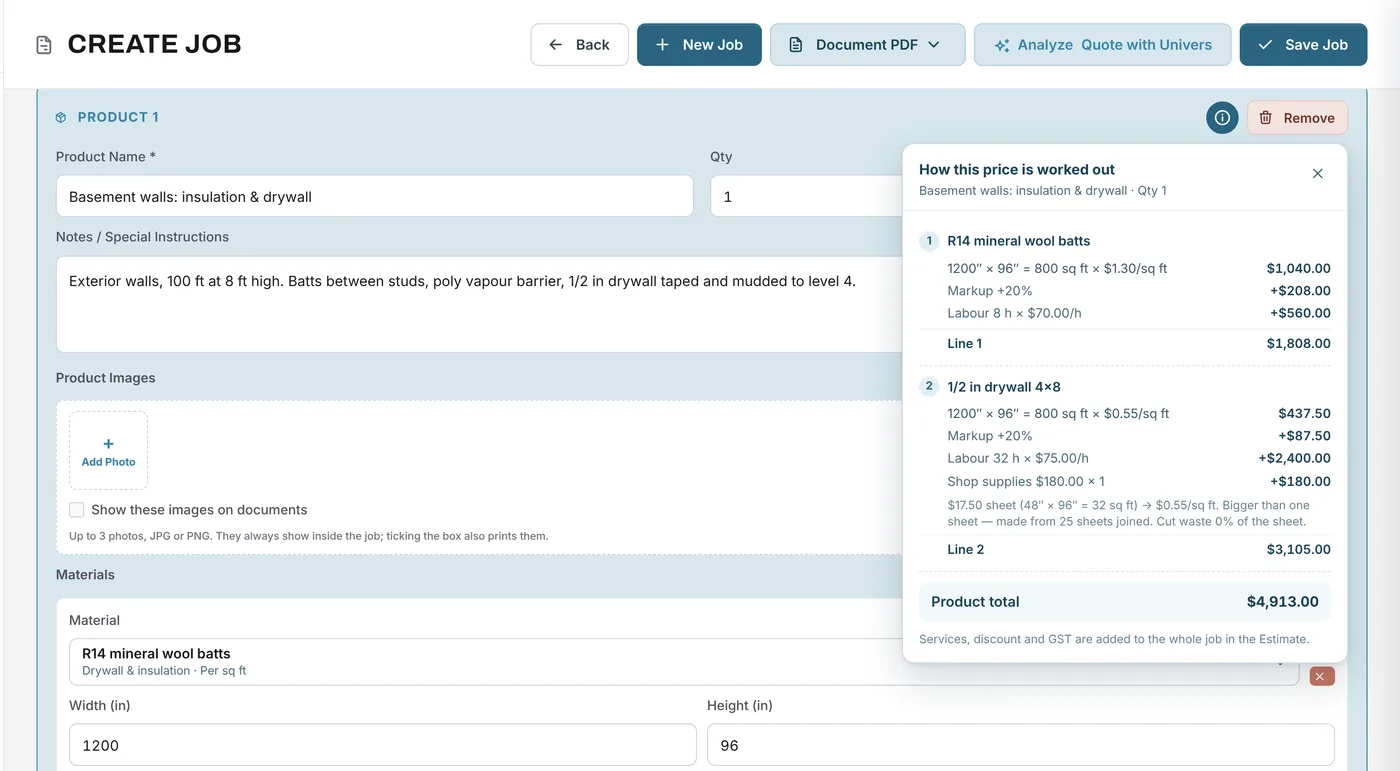
Keep parts and shop supplies in your material library with your costs and markups, and your diagnostic fee, shop labour and call-out charges as services. Build the estimate, see how each price is worked out, and send it with your logo and terms.
When the customer approves, move the job to Approved and create a work order for the technician, with or without prices. Put the vehicle or unit details in the job description, and attach photos and PDFs to the job.
Documents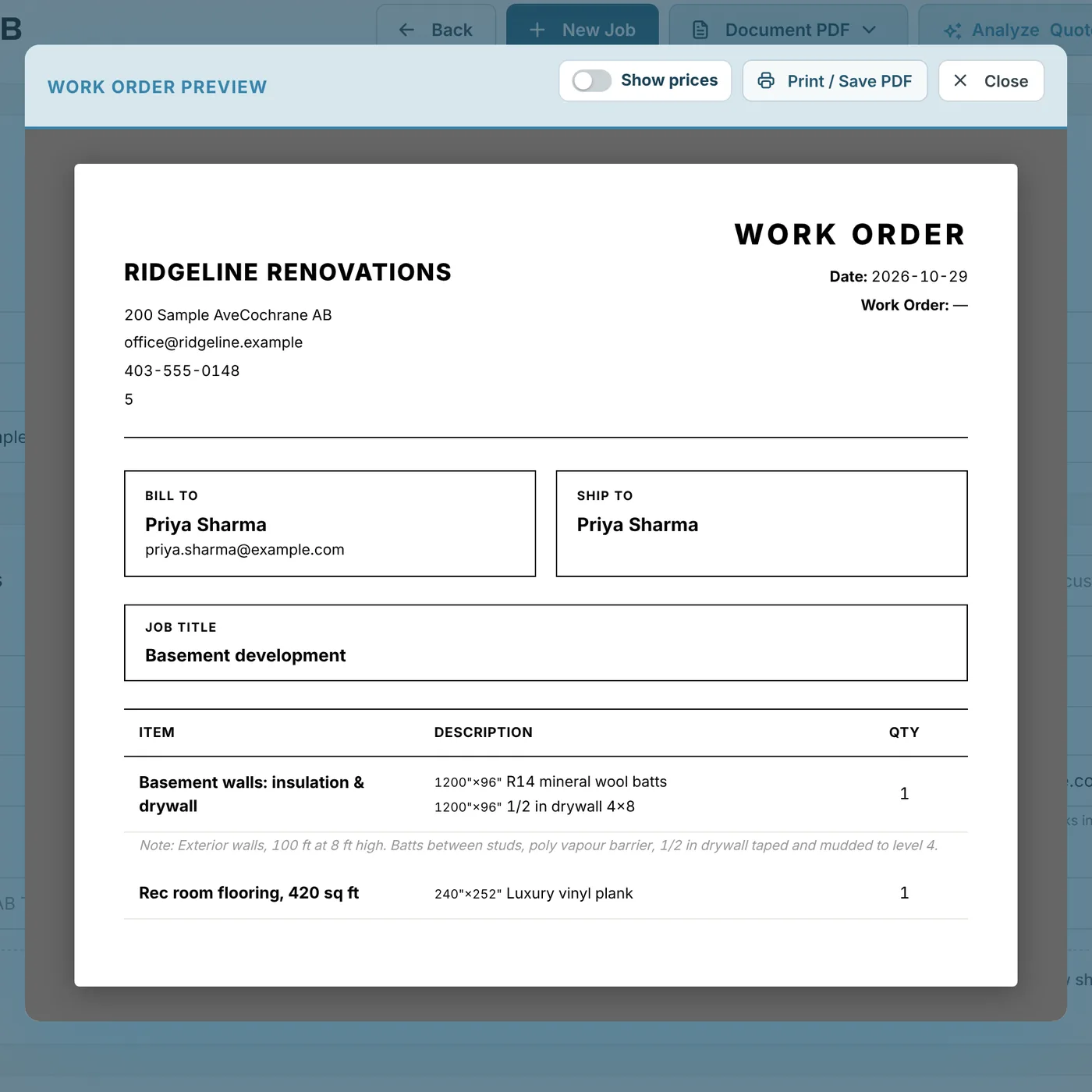
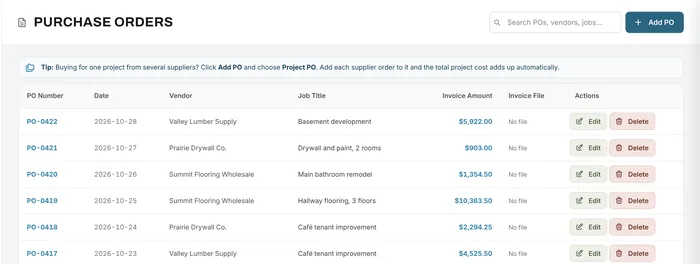
Raise a purchase order for the parts each repair needs, linked to the job, and attach the supplier's invoice when it arrives. The cost shows against the job in Financial Analytics.
Purchase orders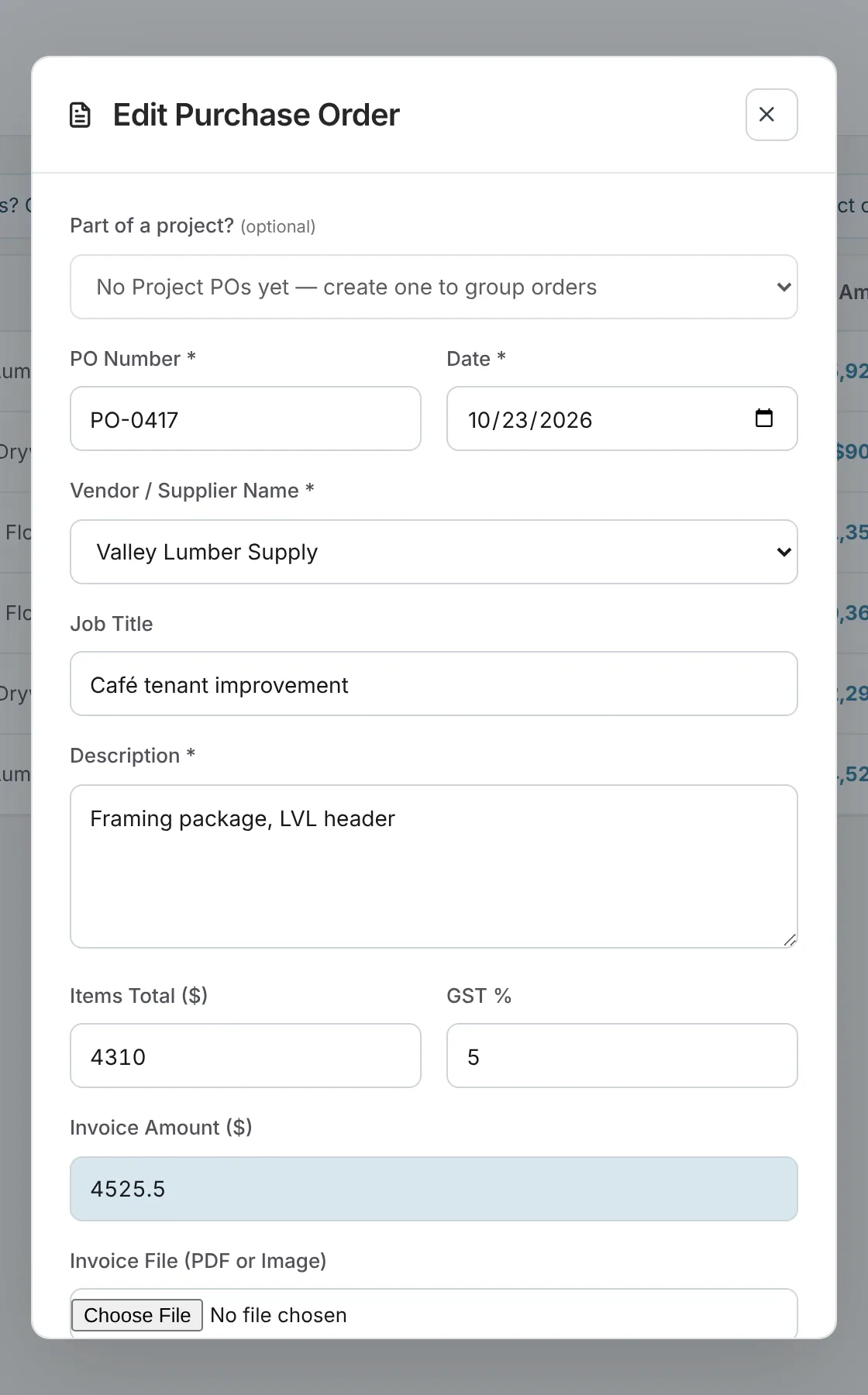
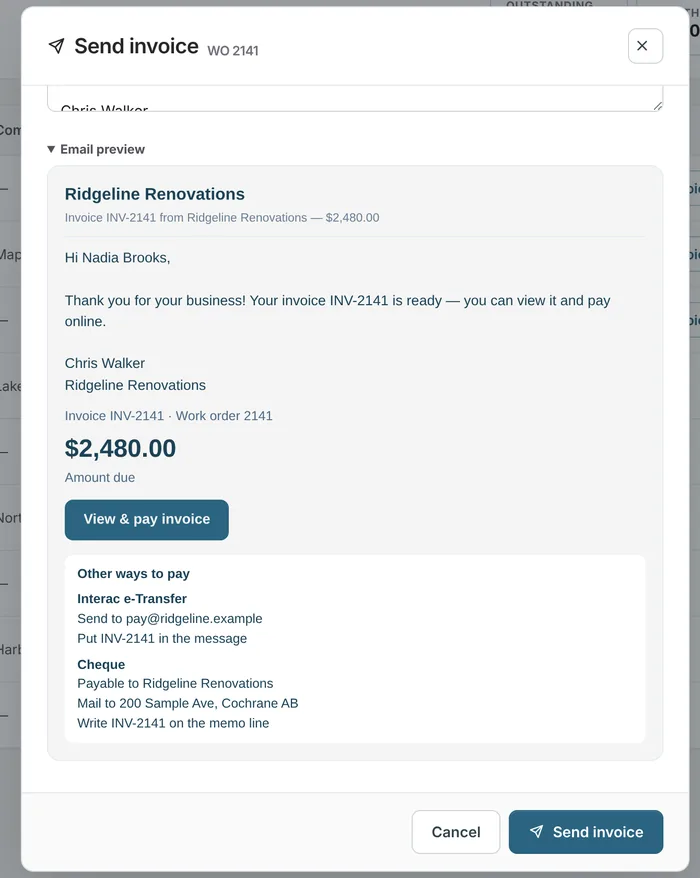
Book the repair on the planner for the technician, who logs hours against the job. The invoice goes out with a Pay button for card, Apple Pay, Google Pay or bank debit, or with your e-Transfer and cheque details.
Invoicing & payments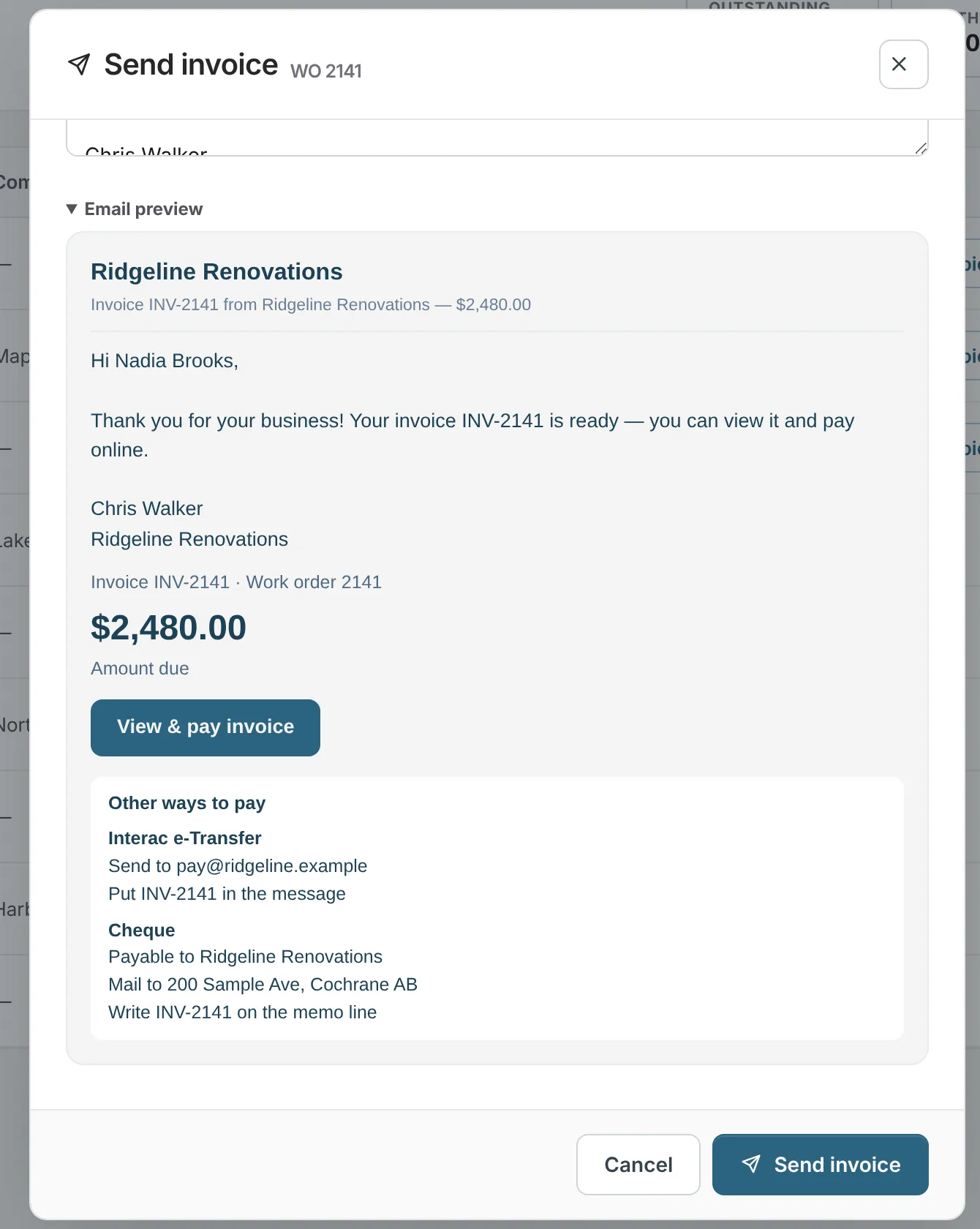
A job from start to finish
A landscaping company brings in a skid steer with a hydraulic leak.
Yes. Parts come from your material library with your cost and markup, and labour comes from your services, priced by the hour or as a fixed fee.
Yes. Put the make, model, year, VIN or serial number in the job description, and attach photos and PDFs to the job. There are no separate vehicle records or service histories.
Yes. With Stripe connected, the invoice includes a Pay button for card, Apple Pay, Google Pay, or bank debit in Canada. You can also record e-Transfers and cheques by hand.
No. Universal Workflow doesn't decode VINs, look up published labour times, order from supplier catalogues or keep a parts inventory. It estimates from your own prices and tracks each repair as a job.
Your next job starts here
Start free and estimate your next repair from your own parts and labour prices.
Free forever plan · No credit card required