Timesheets & mileage
Hours by job, overtime, approvals, payroll export
Learn moreFor plumbing
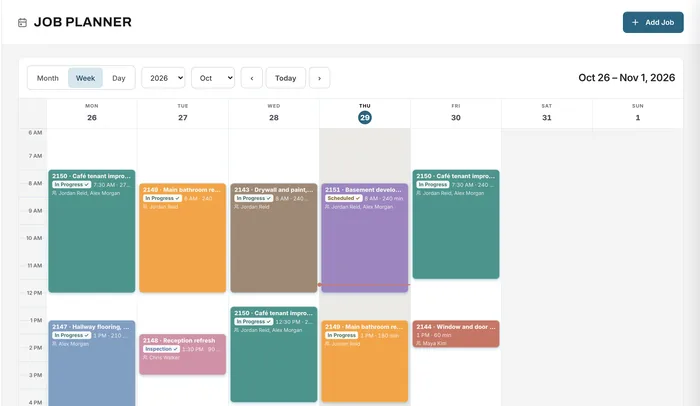
Quote fixtures, pipe and labour, book plumbers on the planner, track hours and trips by job, and send an invoice your customer can pay on the spot.
Free forever plan · No credit card required

What gets in the way
A plumbing company can run several service calls a day plus longer renovation jobs. The paperwork grows faster than the work.
Prices for fixtures and labour are worked out in the truck.
Supply-house trips eat hours that never get billed or paid.
Small jobs are the easiest to forget to invoice.
How Universal Workflow helps
Keep fixtures, fittings and pipe in your library with your costs and markup, and your call-out fee and hourly rates as services. Quote a repair in minutes or a bathroom rough-in line by line.
Estimating & quoting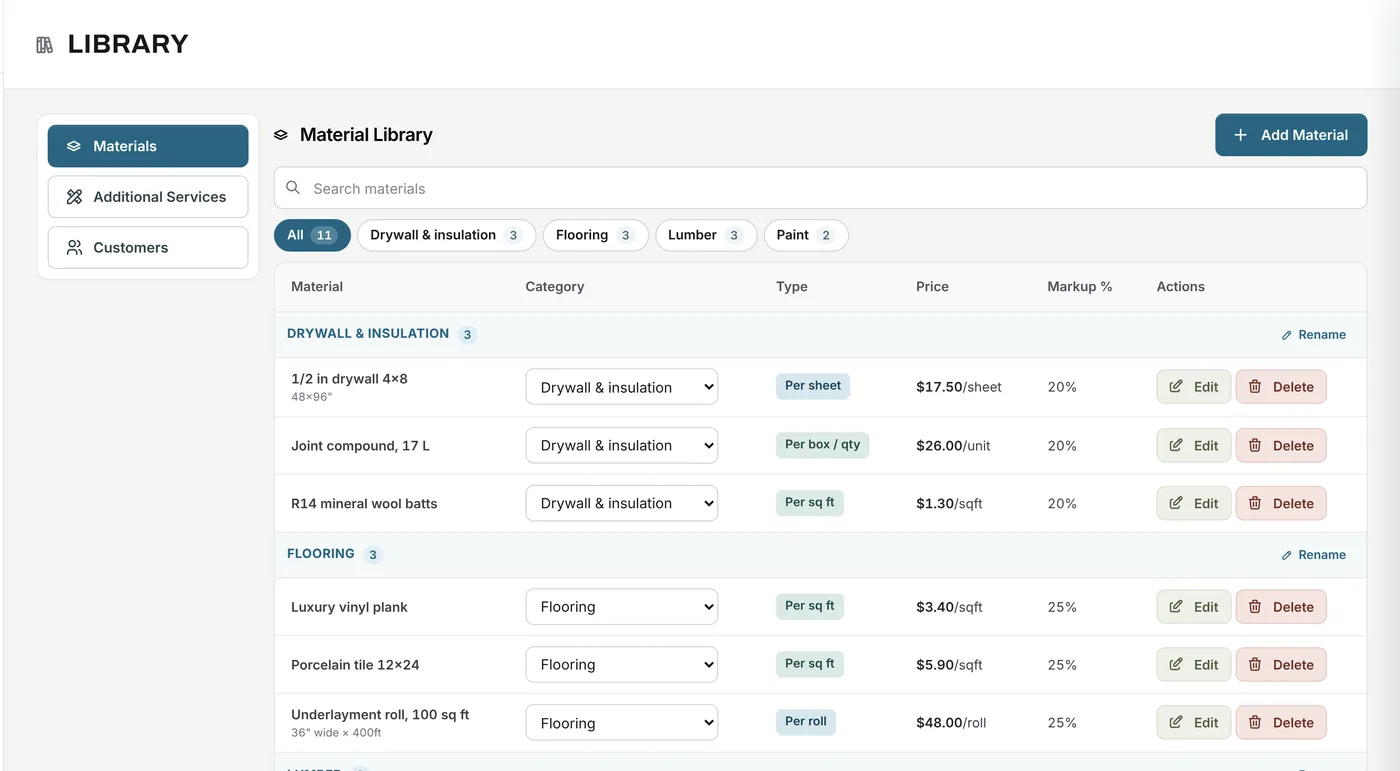
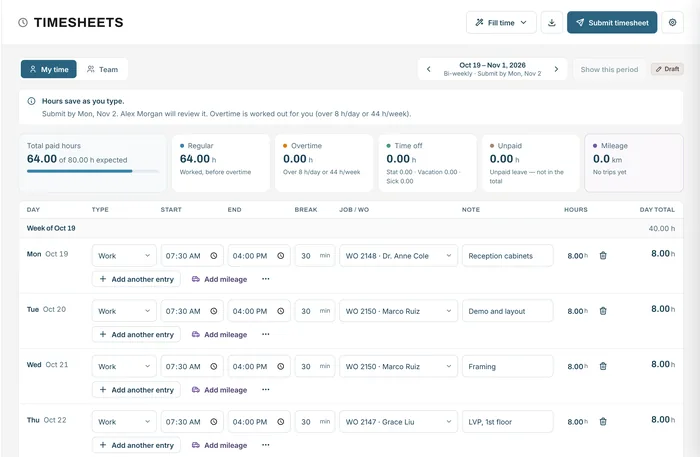
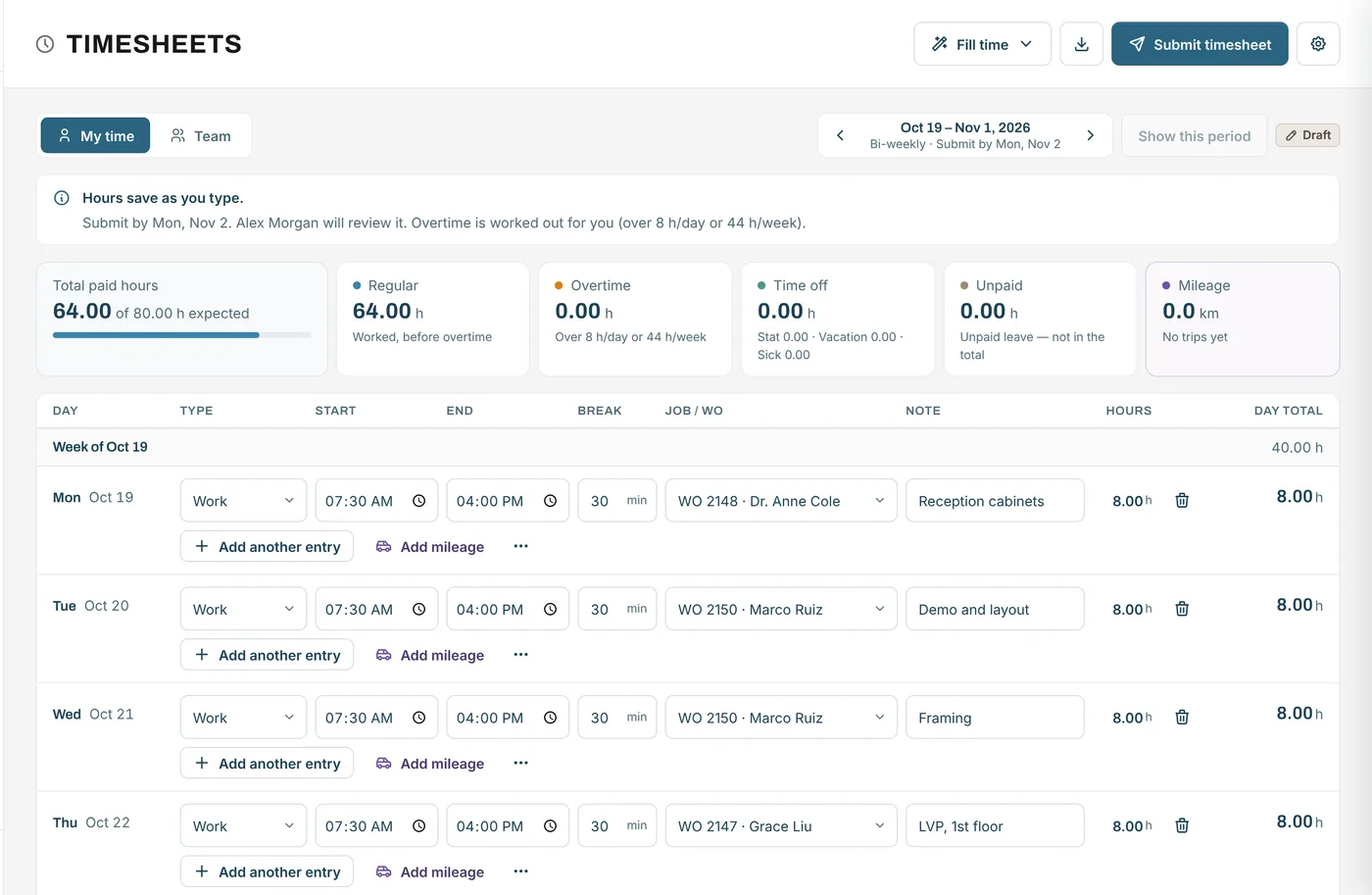
Plumbers log hours against the job and record trips with from, to and distance, including that run to the supply house, at your mileage rate.
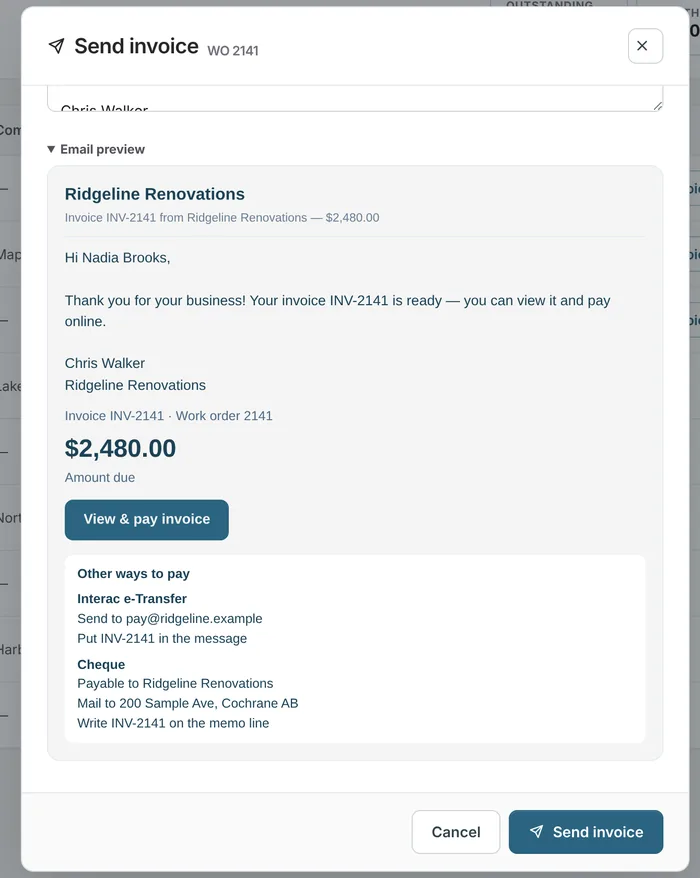
Completed jobs list what's paid and what isn't. Send the invoice from the job with a Pay button and e-Transfer or cheque details, and record payments taken by hand.
Invoicing & payments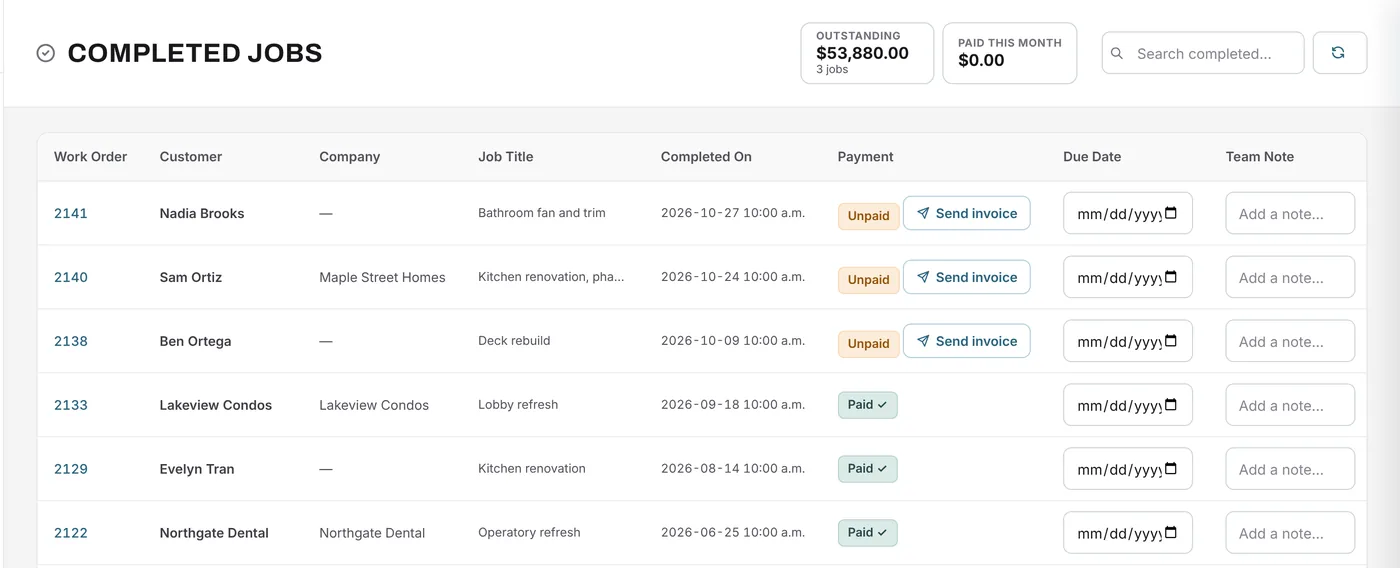
A job from start to finish
A renovator subcontracts the plumbing for a basement bathroom.
Example quote
A customer's 50-gallon gas water heater has failed and needs replacing today.
Example figures for illustration. Your prices come from your own material library, services and rates.
| 50-gallon gas water heater1 unit from your library: $1,150.00 cost + 25% markup | $1,437.50 |
| Fittings, venting and supplies1 lot from your library: $180.00 cost + 25% markup | $225.00 |
| Plumber4 h × $110.00/h | $440.00 |
| Haul away the old tankfixed price | $75.00 |
| Subtotal | $2,177.50 |
The plumber is booked on the planner for the afternoon, logs four hours to the job, and the invoice goes out from the same job with a Pay button before they leave.
FAQ
Can’t find your answer? Send us a message and we’ll get back to you.
Yes. Log trips with from, to, distance, round trip and the job. Mileage uses your rate and never counts as hours.
Yes. Request a deposit or a progress payment from the job and invoice the balance when the work is finished.
Yes, with your own Stripe account connected: card, Apple Pay, Google Pay, or bank debit in Canada.
Yes. 1 user, 20 new jobs a month and 100 MB of storage, free forever with no credit card.
Yes. The material library holds your fixtures and parts with your cost and markup, grouped in categories you name, and you find them by search when quoting.
Yes. Create the invoice from the job as soon as the work is done and send it by email with a Pay button and your other ways to pay.
Your next job starts here
Start free and send your next invoice with a Pay button.
Free forever plan · No credit card required