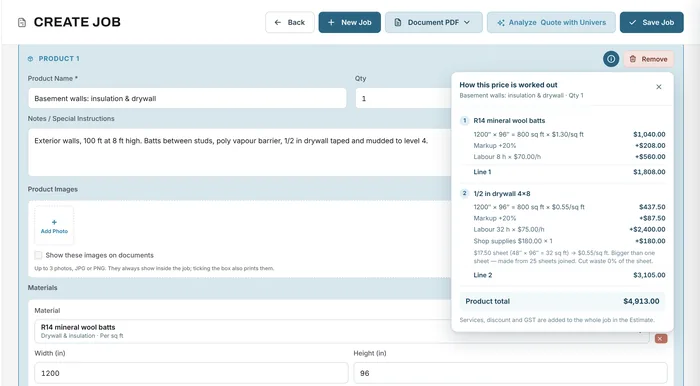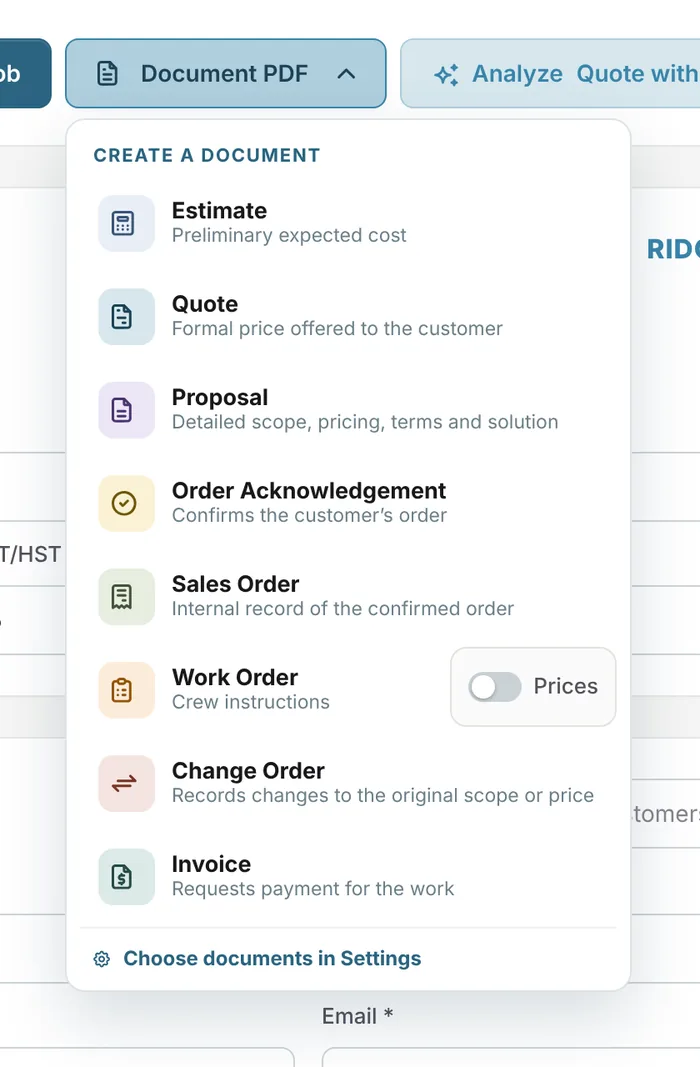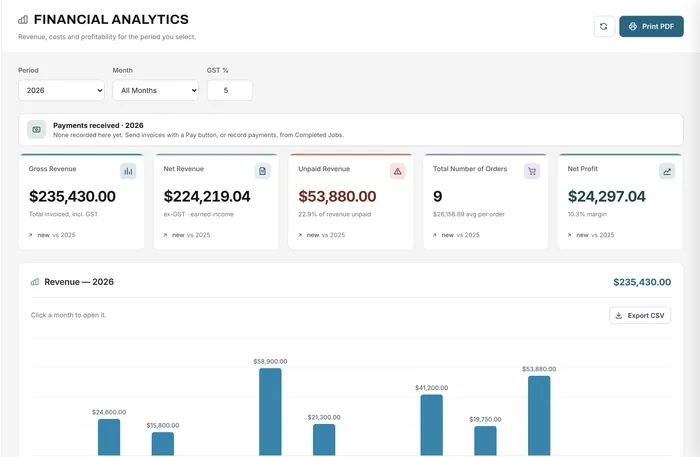
Job costing & analytics
Revenue, costs and profit per job and period
Learn morePurchase orders
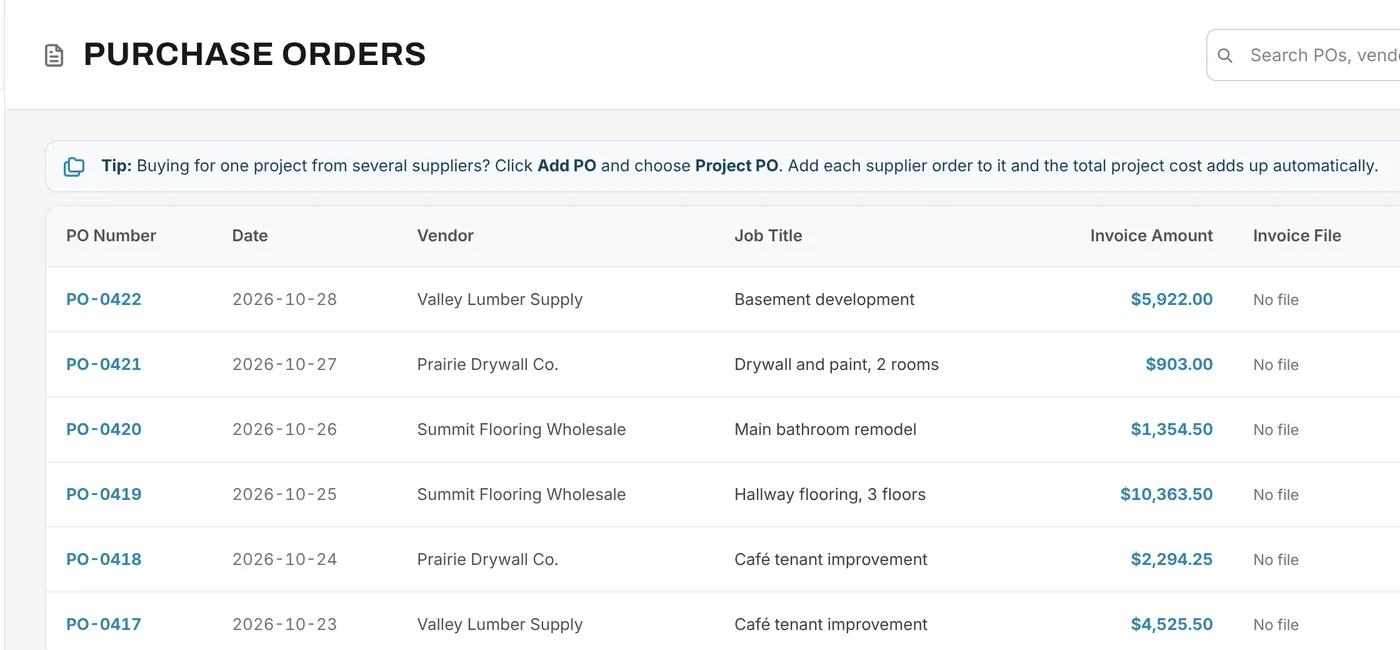
Record every supplier order against its job, with the supplier's invoice attached. See what each job really cost in materials, and group a project's orders under one budget.
Free forever plan · No credit card required
The problem
Orders are placed by phone, invoices arrive by email, and by the time the job is done nobody knows what the materials really cost.
Supplier invoices sit in email instead of with the job.
Without the orders, you can't see the job's real material cost.
Every bill gets typed again into the accounting software.
How it works
Each purchase order has a number, a date, the supplier, the job it's for, a description, the items total and tax, and the invoice amount. Attach the supplier's invoice as a PDF or image so it stays with the order.
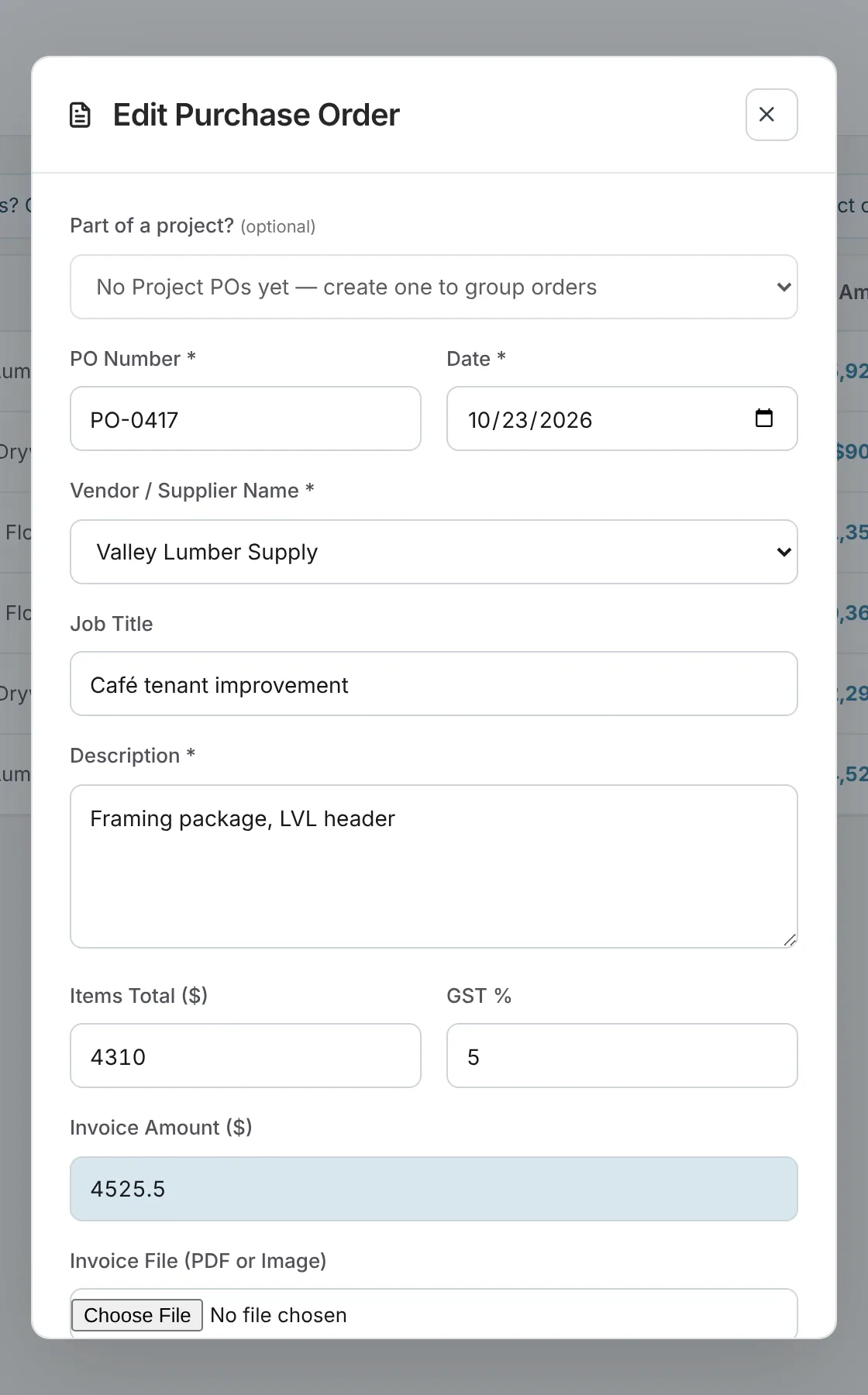
When a project buys from several suppliers, create a project PO and put each supplier's order under it. The project shows the total so far against its budget.
Purchase orders count as costs in Financial Analytics for the period they fall in, alongside your other expenses, so net profit reflects what you actually spent. On Growth and Premium, with QuickBooks Online connected, send an order to QuickBooks as a bill.
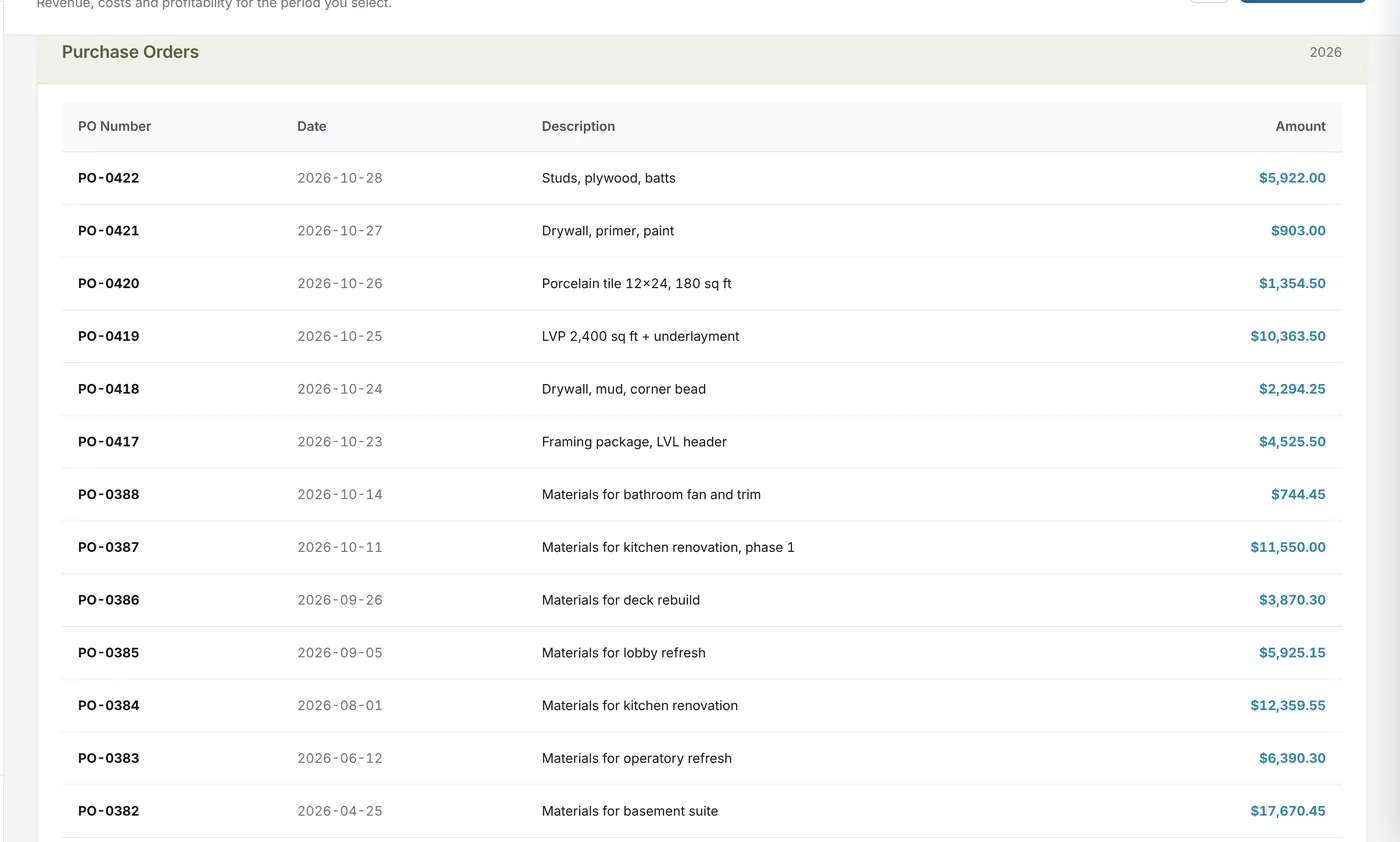
What changes
Every order tied to its job, with the invoice attached.
No more digging through email for a supplier invoice.
Project POs show spending against the budget as orders come in.
POs flow into analytics, so profit includes what you spent.
Send bills to QuickBooks Online on Growth and Premium.
On Growth and Premium, Univers can read a supplier document and compare its costs with your materials.
Example
A contractor buys framing and drywall from two suppliers for one job.
FAQ
Can’t find your answer? Send us a message and we’ll get back to you.
Yes. Attach a PDF or image of the supplier's invoice to each purchase order.
Yes. Each order is linked to the job it's for, so you can see a job's material costs.
A parent order for a project that buys from several suppliers. Each supplier order sits under it, and the project shows the total against its budget.
On Growth and Premium, with QuickBooks Online connected, you can send a purchase order to QuickBooks as a bill for that supplier.
Essentials, Growth and Premium.
Your next job starts here
Start free with Growth features for 14 days, including purchase orders.
Free forever plan · No credit card required