Scheduling & planner
Book crews by day, week or month
Learn moreFor HVAC
Quote furnace and AC installs from your equipment and labour rates, schedule technicians on the planner, log hours by job, and send the invoice before you leave the driveway.
Free forever plan · No credit card required

What gets in the way
Heating and cooling seasons pack the calendar. Without a clear schedule and quick invoicing, jobs slip and cash waits.
Service calls stack up and technicians criss-cross town.
Every system quote is rebuilt from old ones.
The tech finishes at 4 PM; the invoice goes out a week later.
How Universal Workflow helps
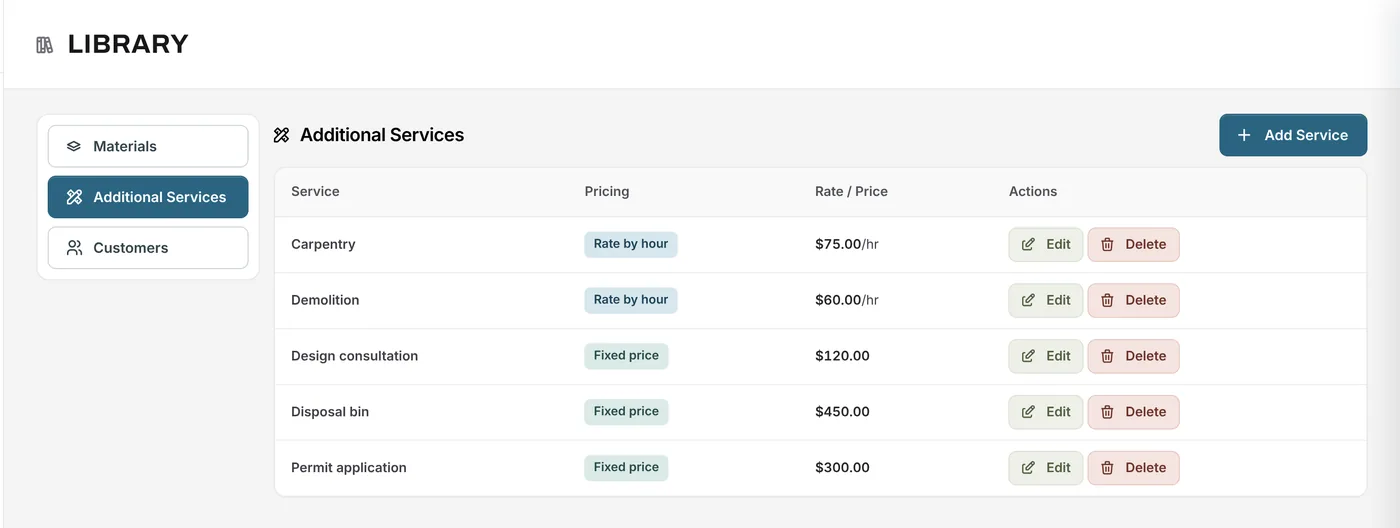
Keep equipment, parts and materials in your library with your costs and markups, and your service call, labour and permit fees as services. Build an install quote in minutes.
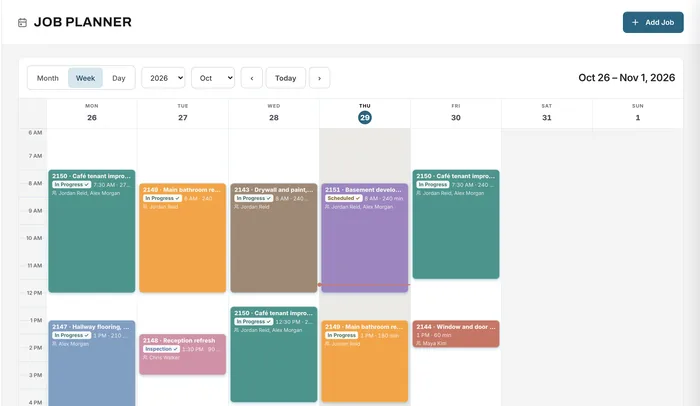
Book each call or install with the technician, start time and length. Each booking can carry a task, and the job's status moves when the booking starts.
Scheduling & planner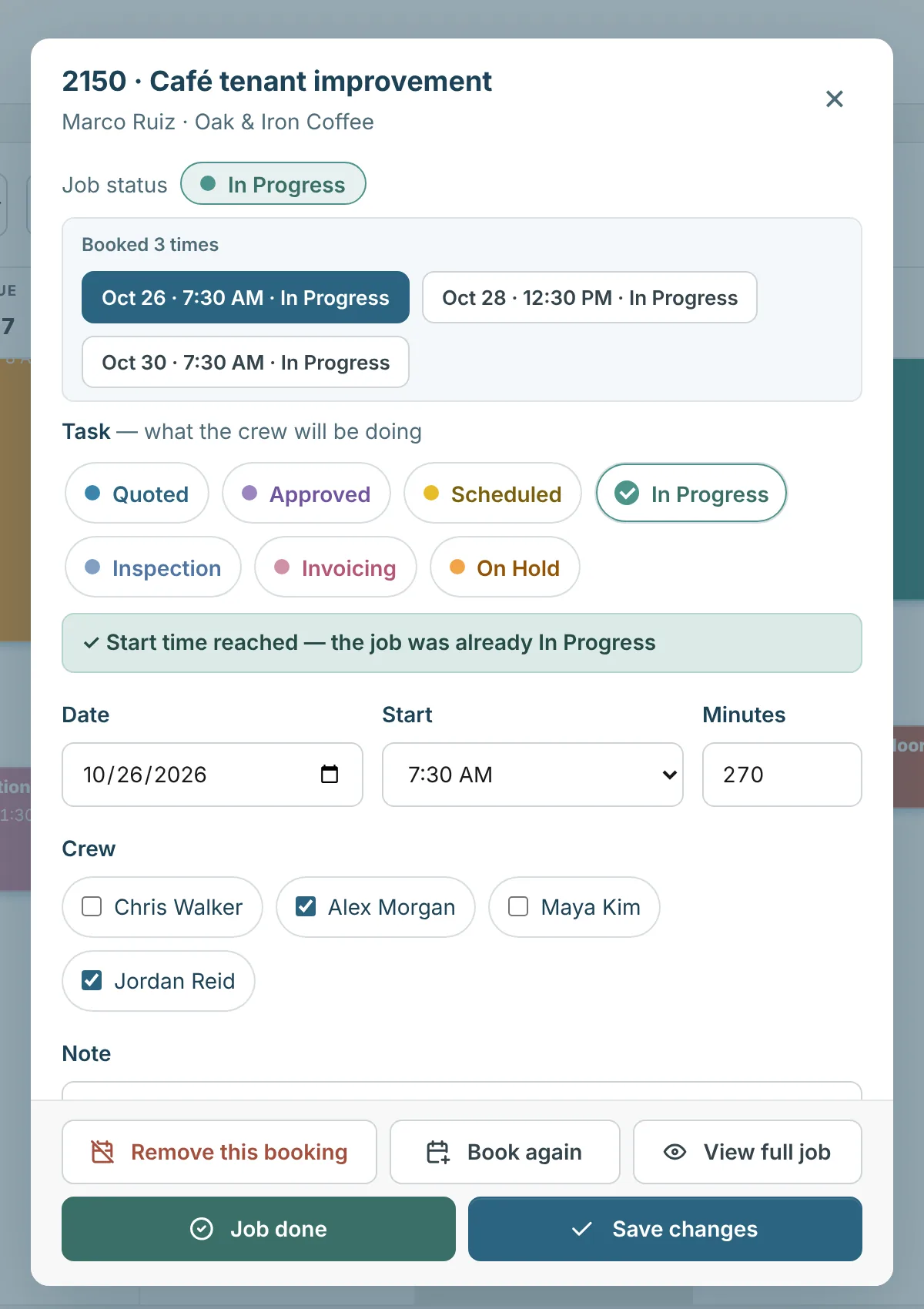
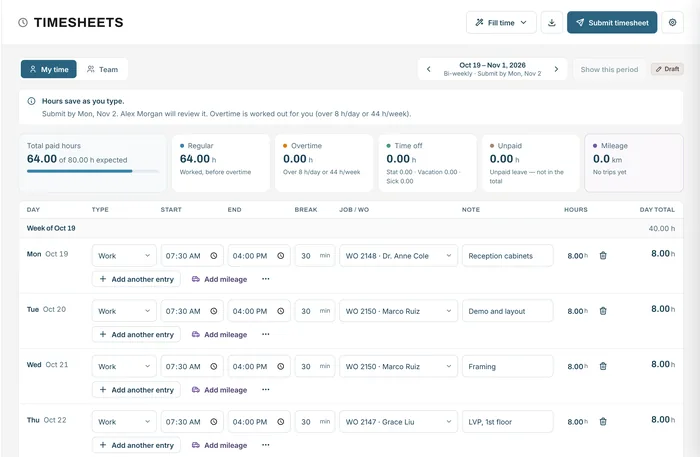
Technicians log their hours against each job and the trips they drive. Overtime is worked out from your rules, and payroll gets a CSV.
Timesheets & mileage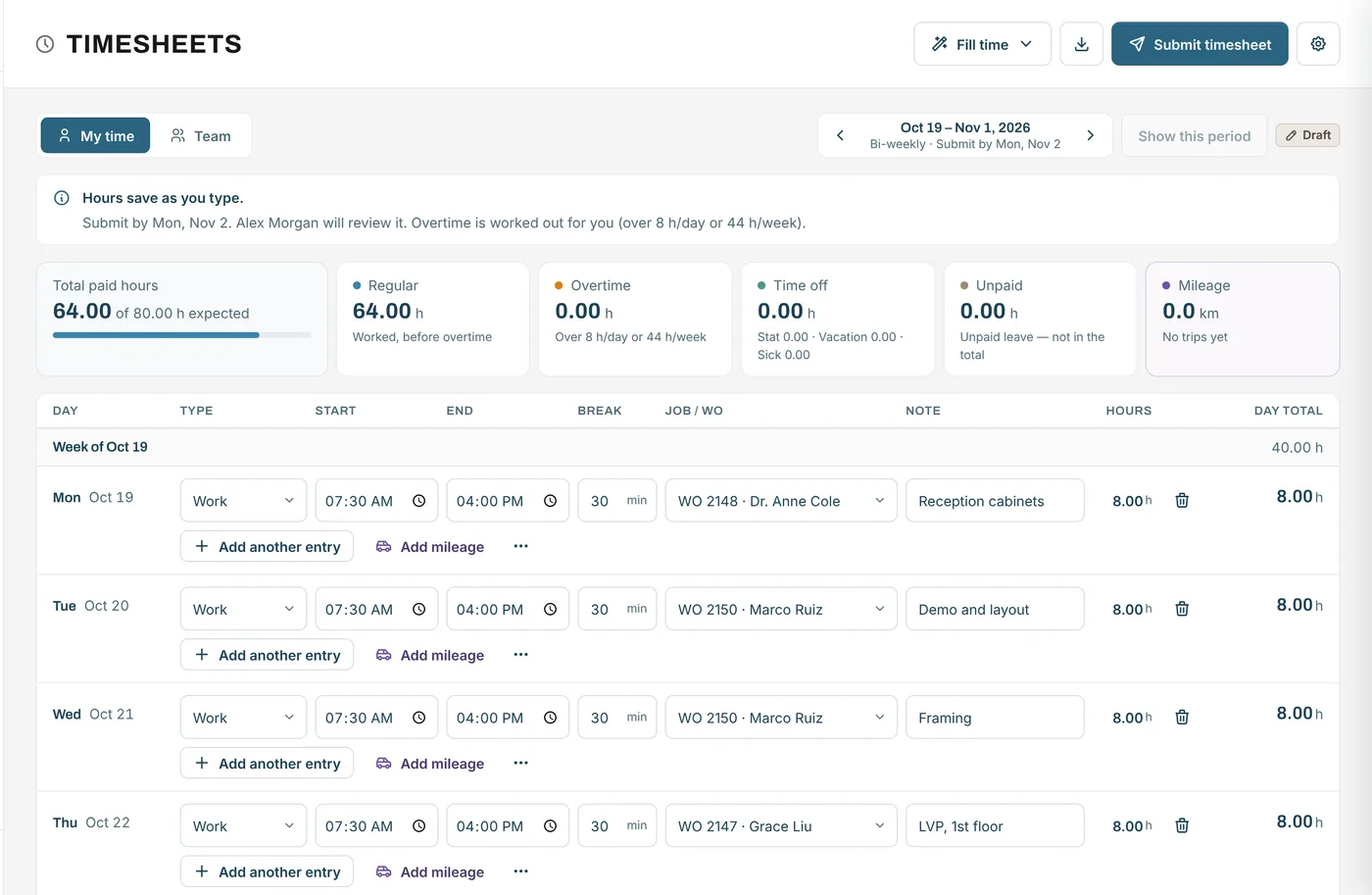
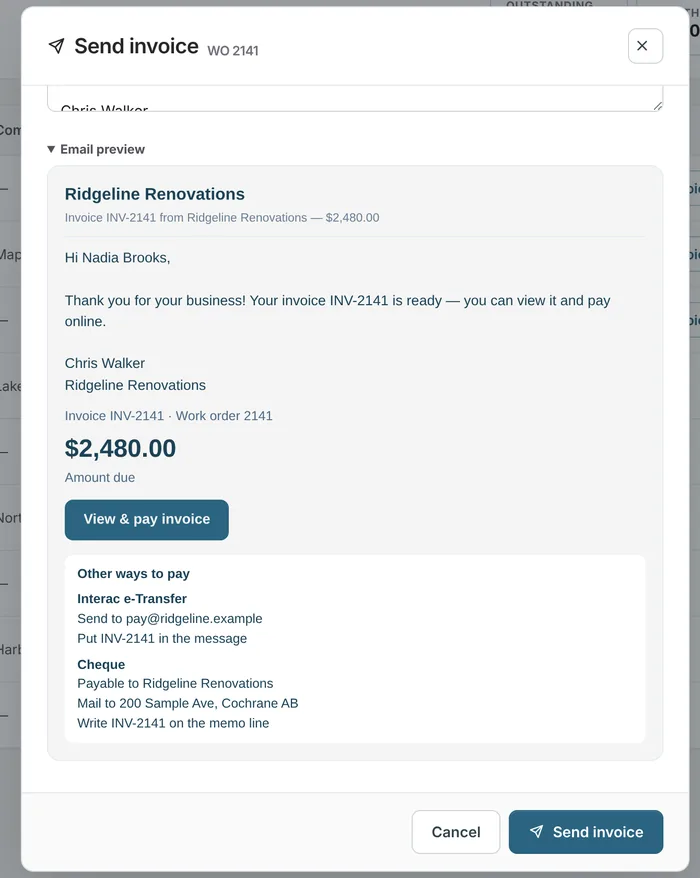
Complete the job and send the invoice with a Pay button. The customer pays by card, Apple Pay, Google Pay or bank debit, or by e-Transfer or cheque.
Invoicing & payments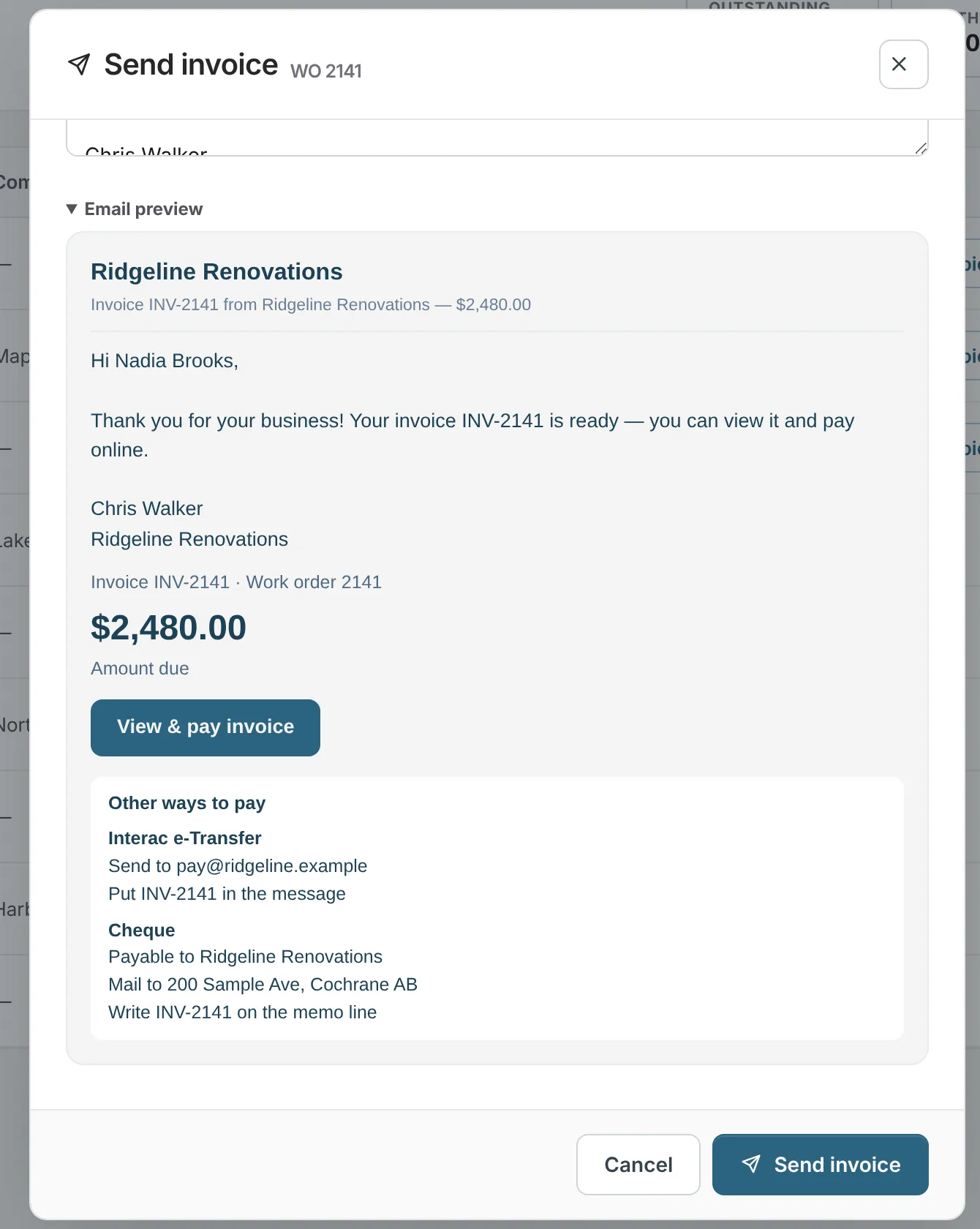
A job from start to finish
A homeowner needs a new furnace before winter.
Example quote
The furnace replacement from the example above, priced from the library and your rates.
Example figures for illustration. Your prices come from your own material library, services and rates.
| 96% efficient furnace1 unit from your library: $2,300.00 cost + 30% markup | $2,990.00 |
| Venting, thermostat and supplies1 lot from your library: $260.00 cost + 30% markup | $338.00 |
| Install labour2 technicians × 6 h × $105.00/h | $1,260.00 |
| Permit feefixed price | $120.00 |
| Subtotal | $4,708.00 |
| Deposit requested (25%) | $1,177.00 |
The deposit is requested from the quote. When the install is done, the balance is invoiced from the same job and the customer can pay it online.
FAQ
Can’t find your answer? Send us a message and we’ll get back to you.
Yes. The planner has day, week and month views, with the technician, time and task on each booking.
Yes. Each time entry is tied to a job; overtime and stat holidays are worked out from your rules.
Yes. With Stripe connected, the invoice email and page include a Pay button for card, Apple Pay, Google Pay, or bank debit in Canada.
Not as automatic recurring jobs. You can book a job as many times as needed on the planner, but there are no automatically repeating service agreements.
Yes. Ask for the deposit from the quote; with Stripe connected the customer can pay it online, and the balance is invoiced when the install is done.
Yes. Each unit is its own item in the material library, with its own cost, markup and category, so you can quote the brand the customer picks.
Your next job starts here
Start free and book your next install on the planner.
Free forever plan · No credit card required