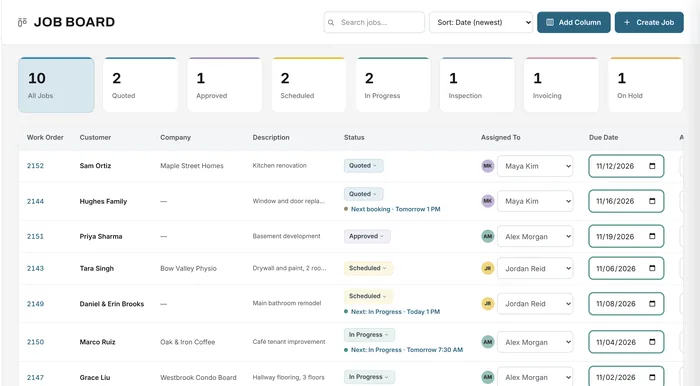
Job board
Statuses, owners and dates for every open job
Learn moreJob management
Each job in Universal Workflow holds the customer, the products and prices, its documents, files, bookings, payments and history. Your team works from the same record instead of chasing it.
Free forever plan · No credit card required
The problem
Quotes in one folder, photos on a phone, supplier invoices in email and the schedule on a whiteboard. Every question about a job means hunting.
The latest drawing, the agreed price and the delivery date live in different places.
The office, the shop and the field each think the job is at a different stage.
When something changes, nobody can see who changed it, or when.
How it works
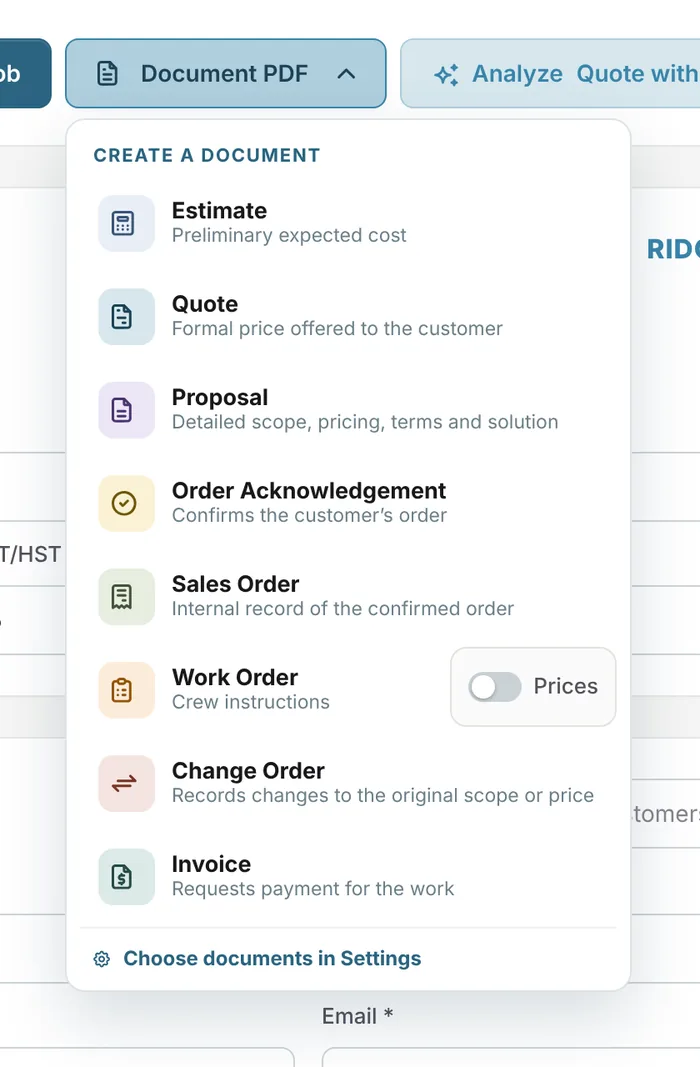
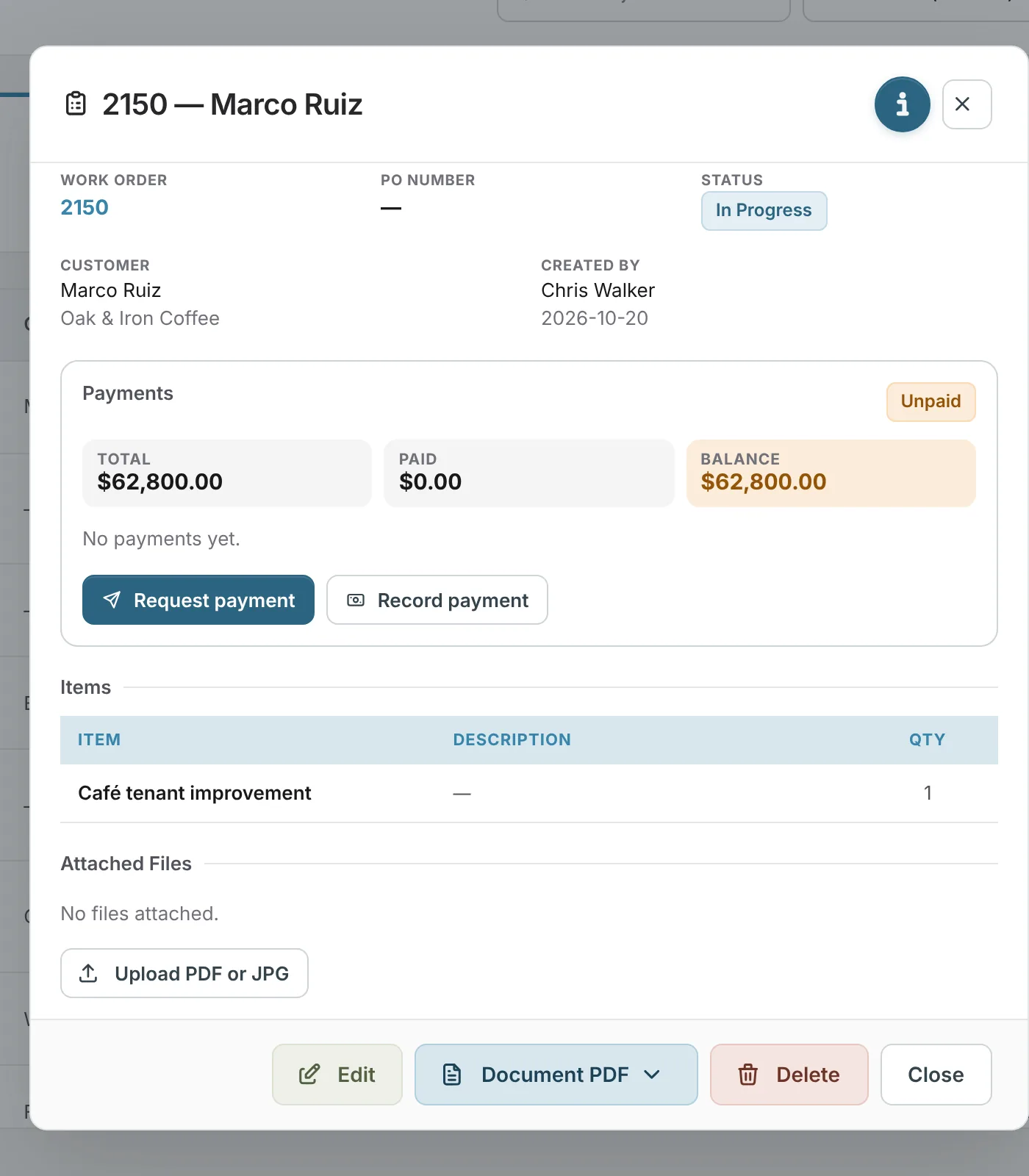
Open any job to see its work order number, status, customer and company, who created it, the products, attached files and the payment position: total, paid and balance. From there you can edit the job, create a document, request a payment or record one.
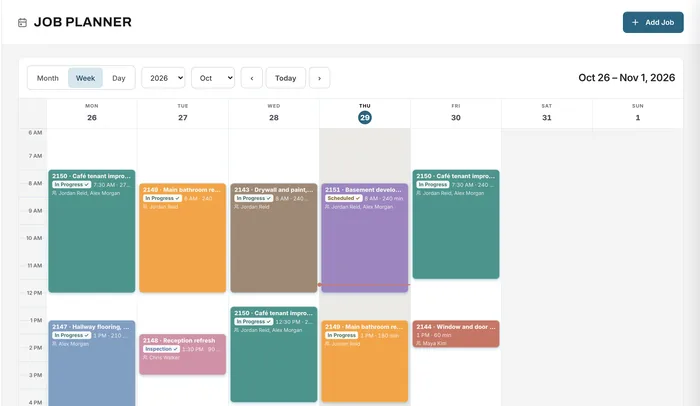
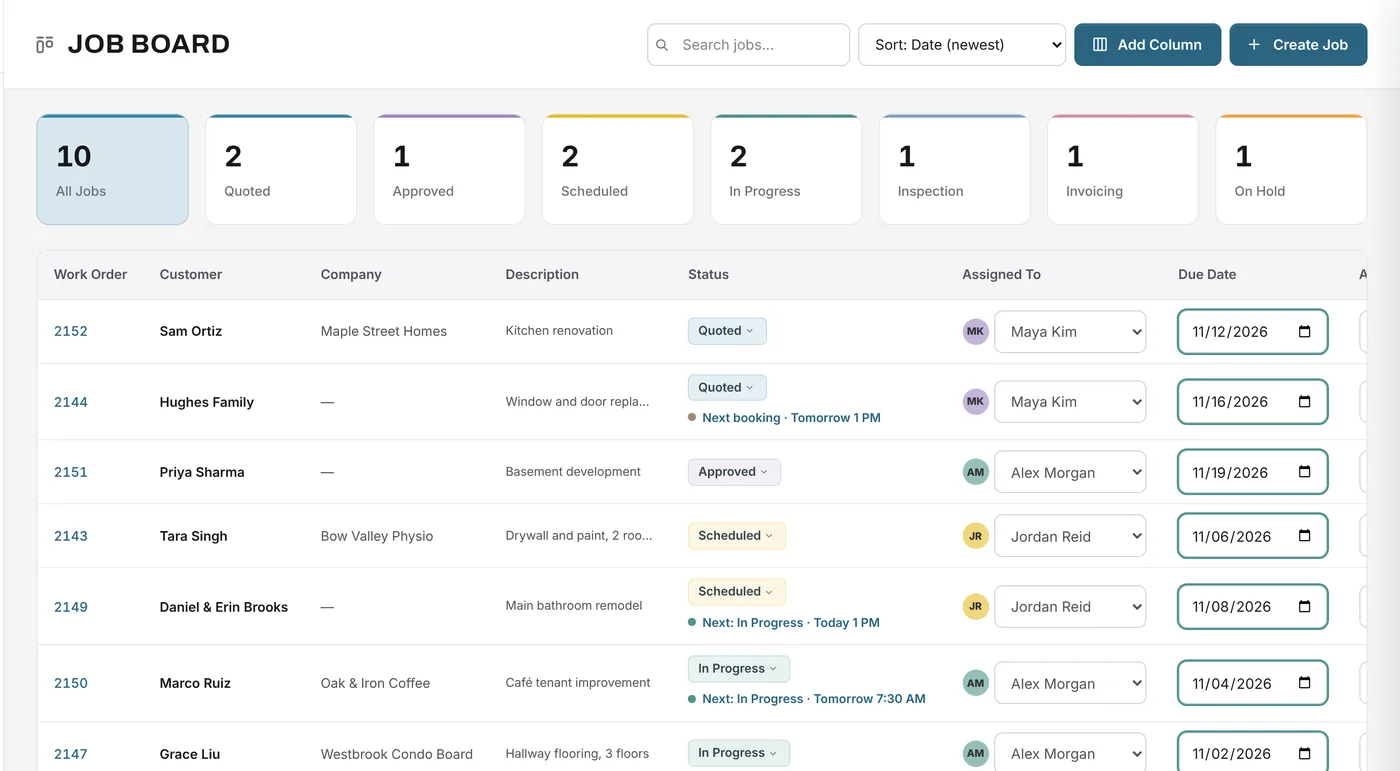
The job board lists every open job with its status, the person it's assigned to and its dates. Statuses are yours to name and colour, so the board matches how your work actually moves.
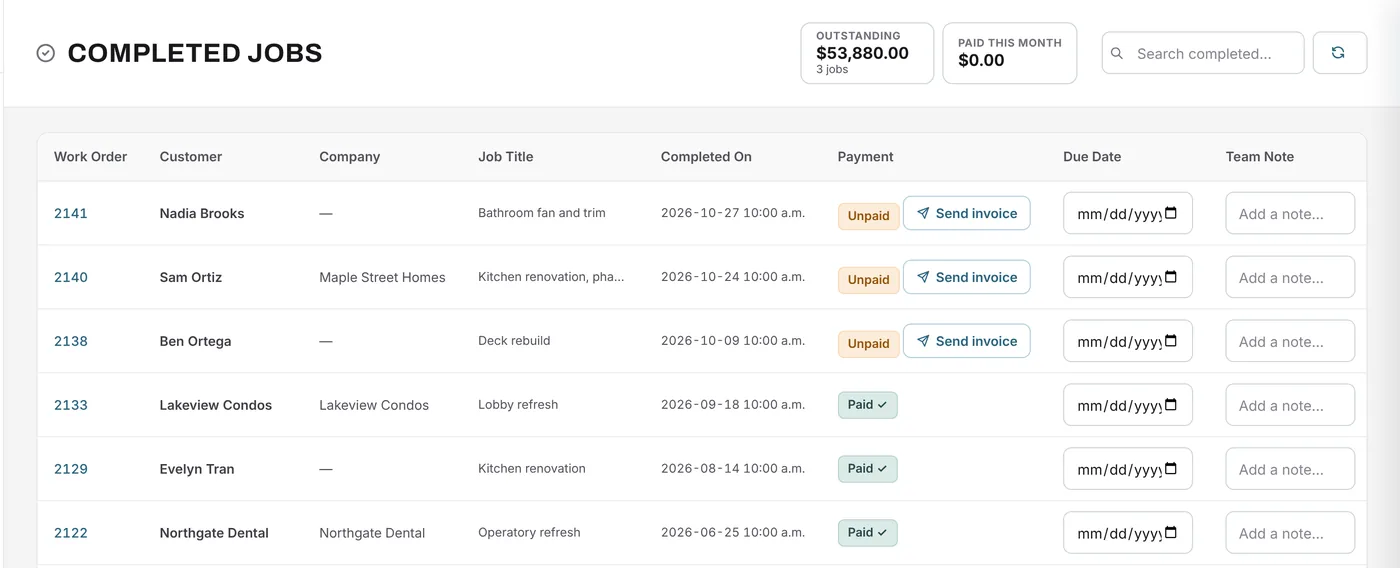
Completed jobs move to their own page with the completion date, payment status and a team note. Send the invoice from there, see what's still unpaid, and keep the history of what was done.
What changes
The office, the shop and the crew see the same job, the same status and the same files.
When a customer calls, the quote, schedule and balance are one click away.
History shows who changed what and when, across every job.
Drawings, permits, photos and supplier invoices stay attached to the work they belong to.
Every job has an assignee, a due date and a status.
Your team can message each other and get notified about the work that matters to them.
Example
A general contractor handles a café tenant improvement worth $62,800.
FAQ
Can’t find your answer? Send us a message and we’ll get back to you.
Software that keeps everything about a job together: the customer, the price, the schedule, the documents, the costs and the payments, so the whole team works from one record from first quote to final payment.
Yes. You name the statuses and choose their colours in Settings, and the job board, planner and filters all use them.
Yes. Upload PDFs and images to a job. Storage depends on your plan: 100 MB on Free, 25 GB on Essentials, 100 GB on Growth and 250 GB on Premium, with more available on paid plans.
Yes. History records changes to jobs, including status changes and who made them.
Yes. Universal Workflow runs in the browser on computers, tablets and phones. There is nothing to install, and our mobile app is coming soon.
Your next job starts here
Start free and move your next job out of folders, inboxes and whiteboards.
Free forever plan · No credit card required