Documents
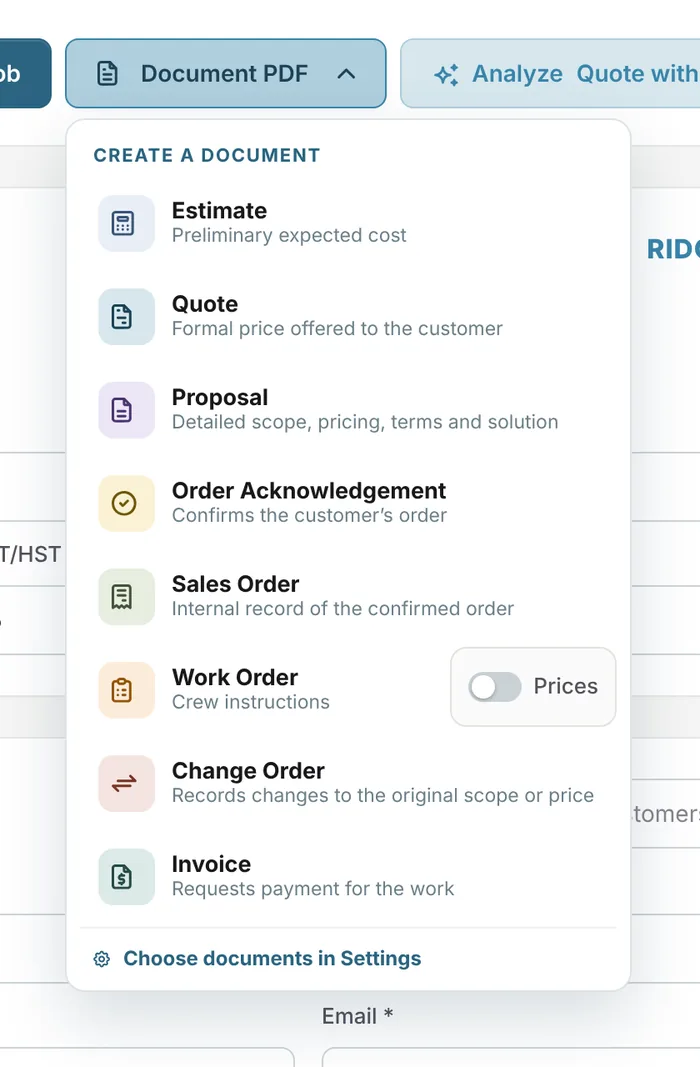
Eight document types, branded, from one job
Learn moreInvoicing & payments
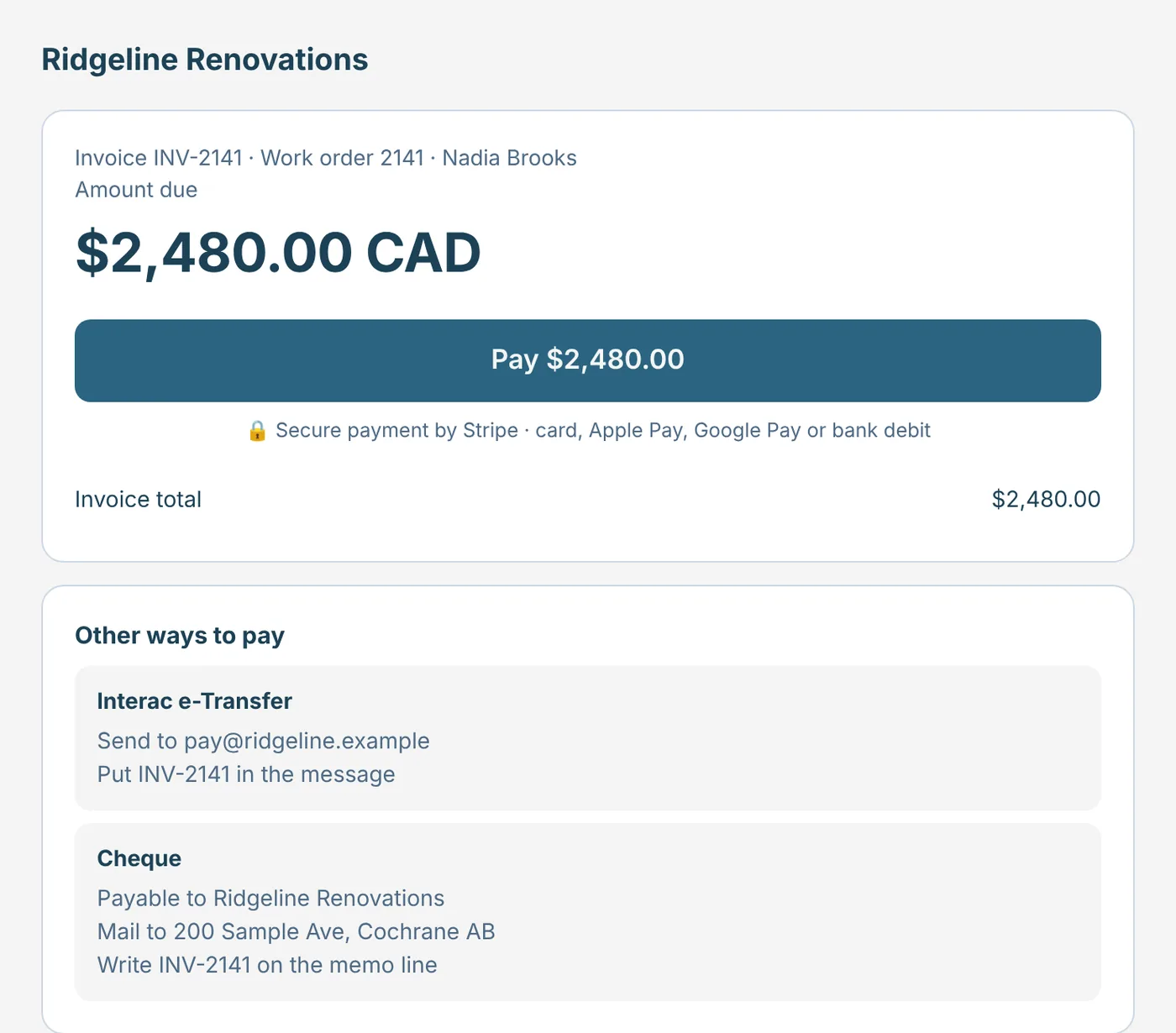
Send the invoice straight from the job. Customers can pay online through your own Stripe account, or by Interac e-Transfer or cheque, and online payments mark the job paid.
Free forever plan · No credit card required
The problem
Invoices are typed after the fact, payment instructions get lost, and nobody is sure which jobs are still unpaid.
The job is done, but the invoice waits until someone has time to type it.
Customers have to ask how to pay, and payments stall.
Deposits and partial payments are tracked on paper, if at all.
How it works
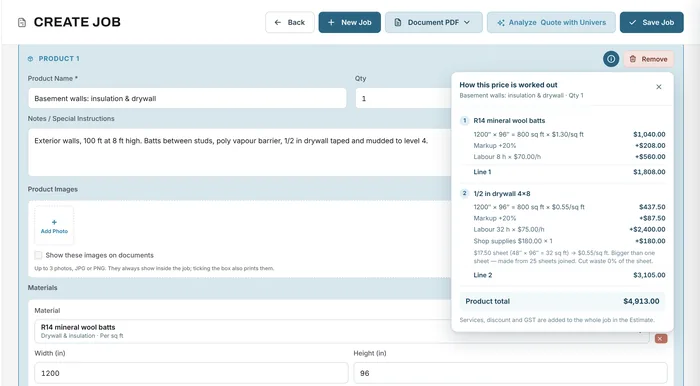
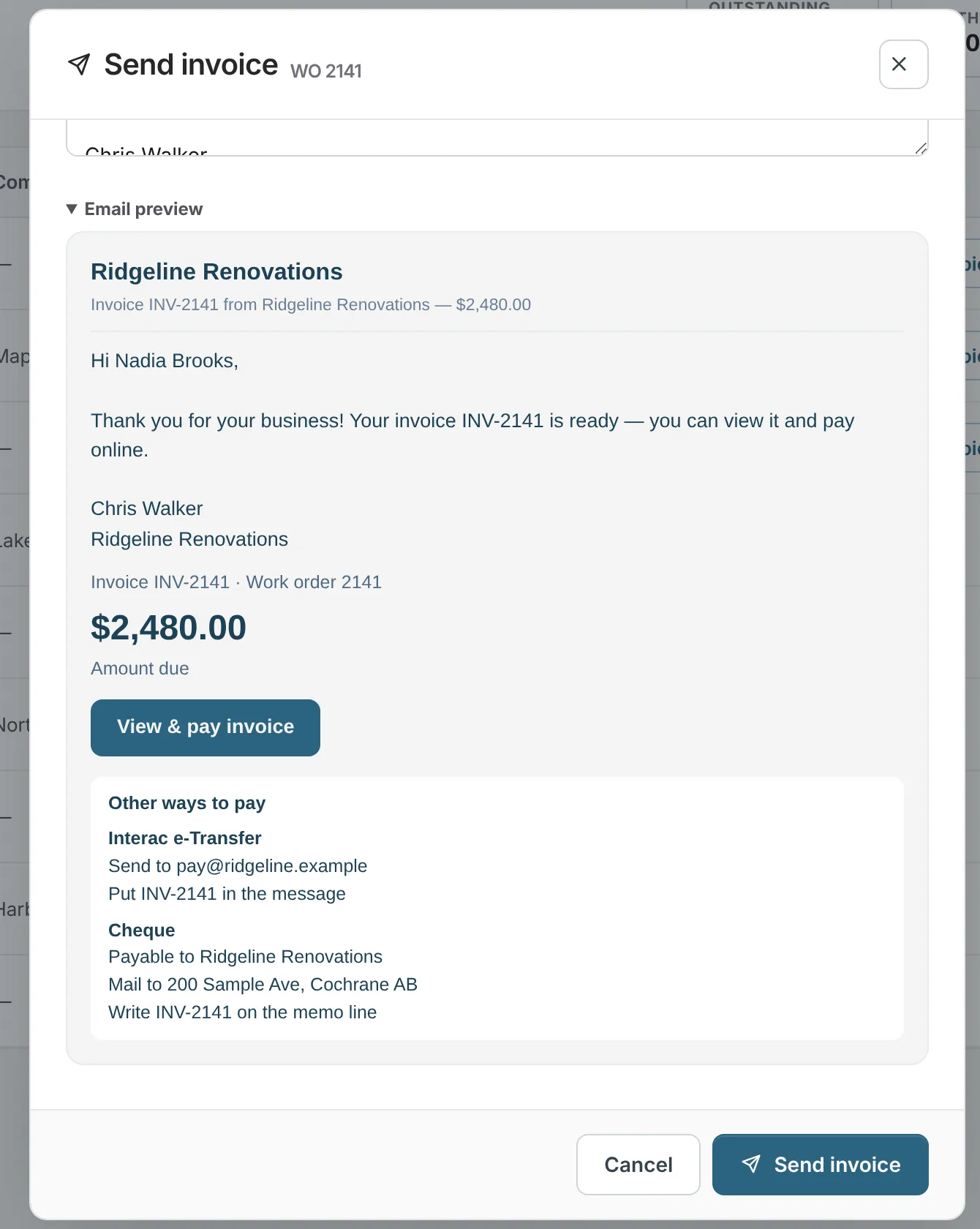
The invoice is built from the job, so the customer, items, tax and deposit are already there. Send it by email from Universal Workflow with your message, and preview exactly what the customer will see first.
The customer opens a secure invoice page with the amount due, a Pay button if you offer a payment link, and your other ways to pay. Payments go to your own Stripe account. When an online payment comes in, the job is marked paid.
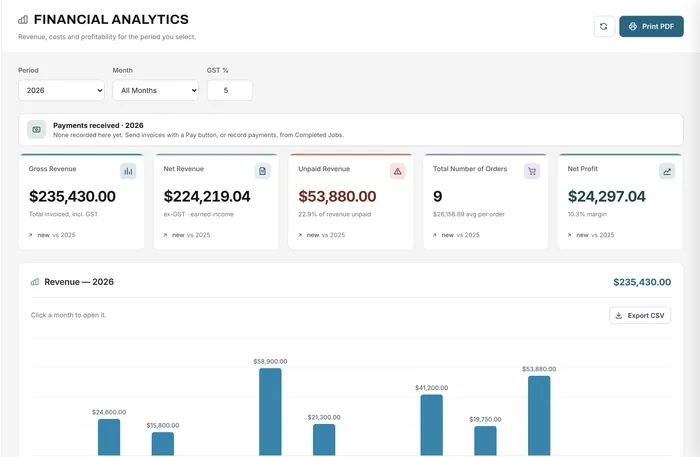
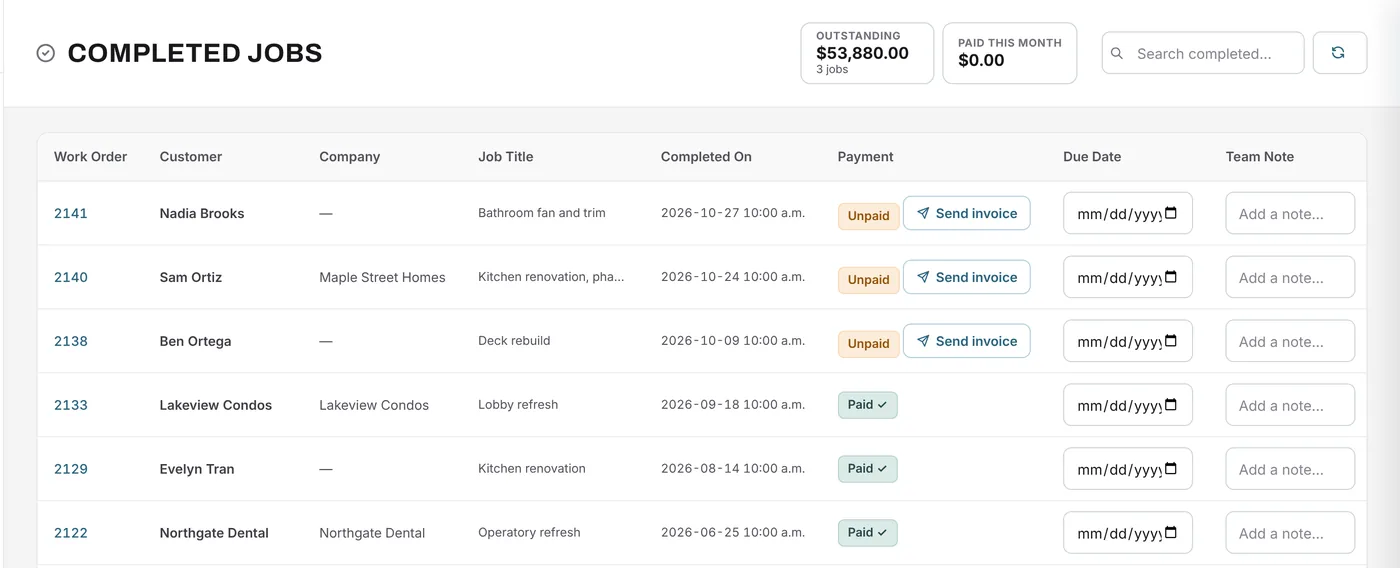
Completed jobs show paid and unpaid at a glance, Financial Analytics lists payments received, and on Growth and Premium invoices and payment status connect to QuickBooks Online.
What changes
The invoice is ready the moment the job is done.
Card, Apple Pay, Google Pay, bank debit, e-Transfer or cheque.
Online payments go to your own Stripe account.
Ask for a deposit from the quote, then the balance when you're done.
Online payments update the job and your outstanding total.
Stripe's processing fees apply; Universal Workflow adds 1% per online payment only on Free.
Example
A small bathroom job is finished on Tuesday.
FAQ
Can’t find your answer? Send us a message and we’ll get back to you.
Connect your own Stripe account in Settings → Payments. Your invoices can then include a payment link where customers pay by card, Apple Pay, Google Pay, or bank debit in Canada.
Yes. Add your e-Transfer email and cheque details once, then choose for each invoice which ways the customer can pay. Record those payments by hand when they arrive.
Stripe's processing fees apply. Universal Workflow adds no fee on paid plans and 1% per online payment on the Free plan.
Yes. Add a deposit to the quote as a percentage or an amount, request it before the job starts, and invoice the balance at the end.
Growth and Premium include QuickBooks Online integration for invoices and payment status. You need your own QuickBooks Online subscription.
Online payments are available for businesses in Canada and the United States. Anywhere else, you can still send invoices and record payments by hand.
Your next job starts here
Start free, connect Stripe, and add your e-Transfer and cheque details in minutes.
Free forever plan · No credit card required