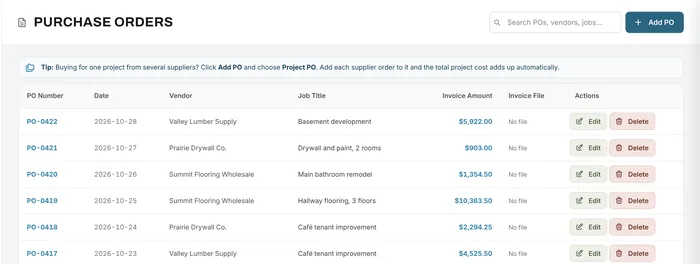
Purchase orders
Supplier orders and invoices tied to each job
Learn moreJob costing & analytics
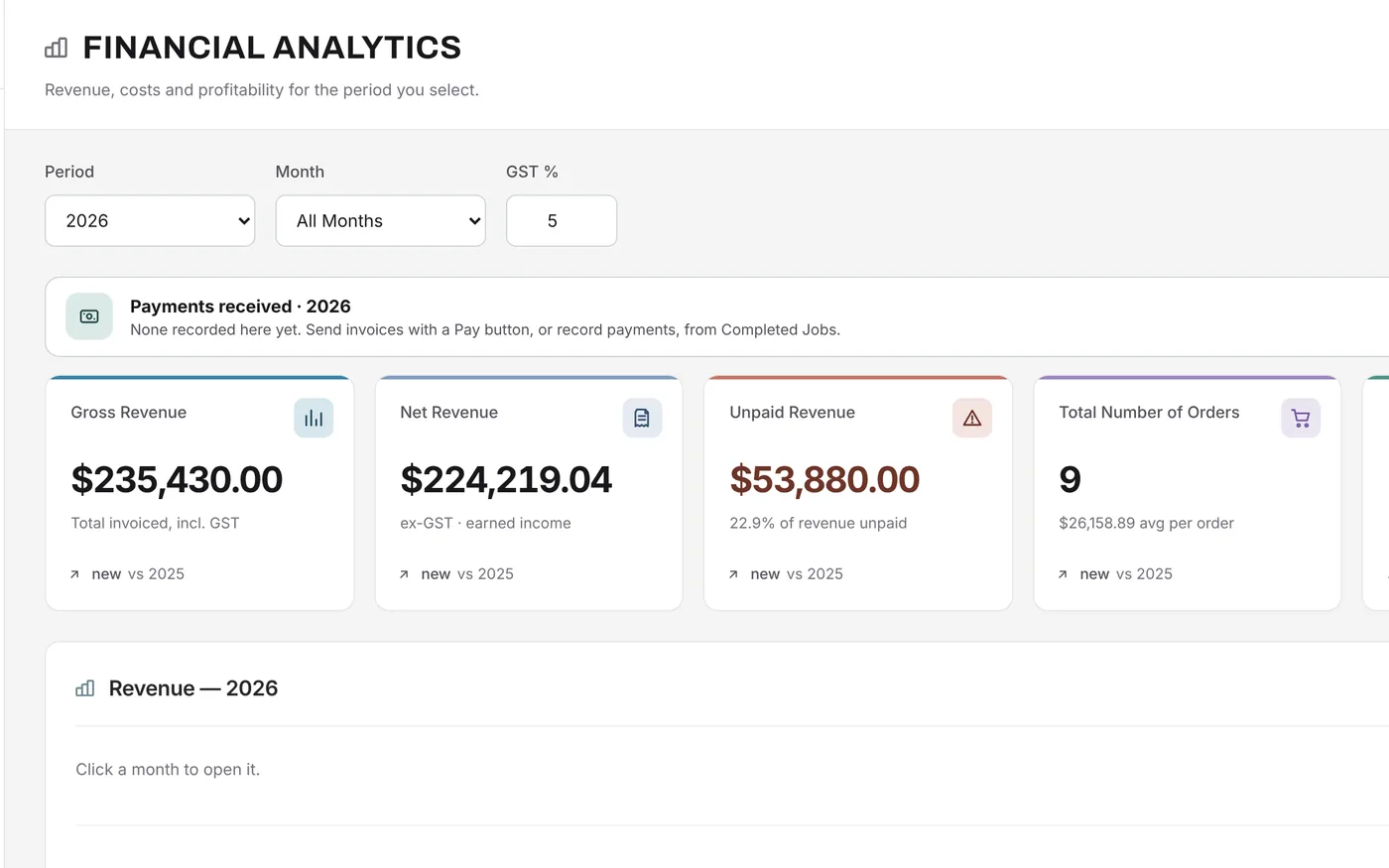
Financial Analytics brings revenue, unpaid invoices, purchase orders, expenses and net profit together for any period, built from the jobs and orders already in Universal Workflow.
Free forever plan · No credit card required
The problem
You can see the bank balance, but not which jobs made money, which customers still owe you, or what your margin really was last quarter.
The accountant tells you months later whether the year was good.
Material and supplier costs aren't linked to the work they paid for.
Working out the tax you collected and paid takes an afternoon.
How it works
Choose a year, a month, or the last three or five years. The headline cards show gross revenue, net revenue before tax, unpaid revenue, the number of orders and net profit with its margin, each compared with the same period before.
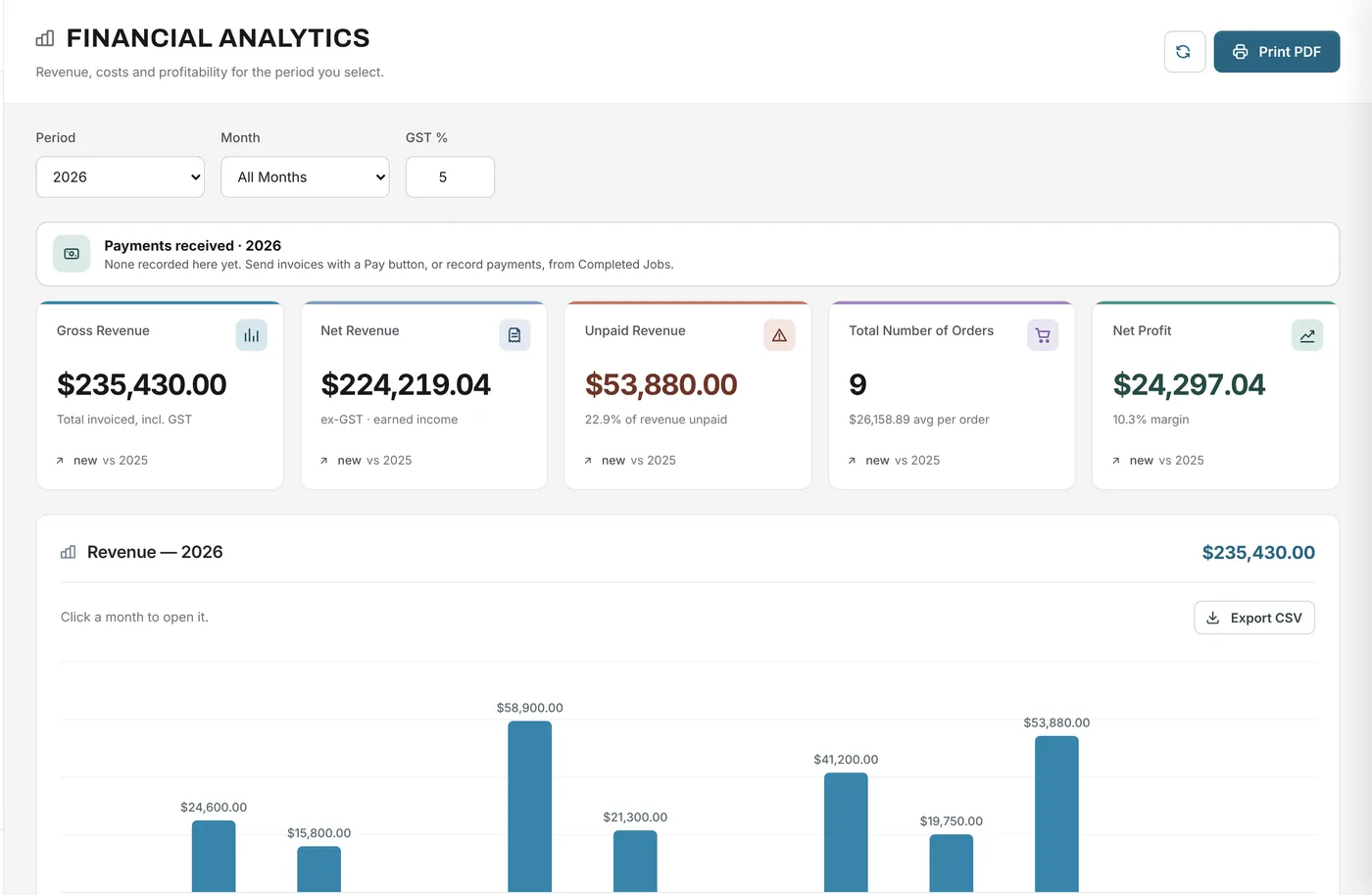
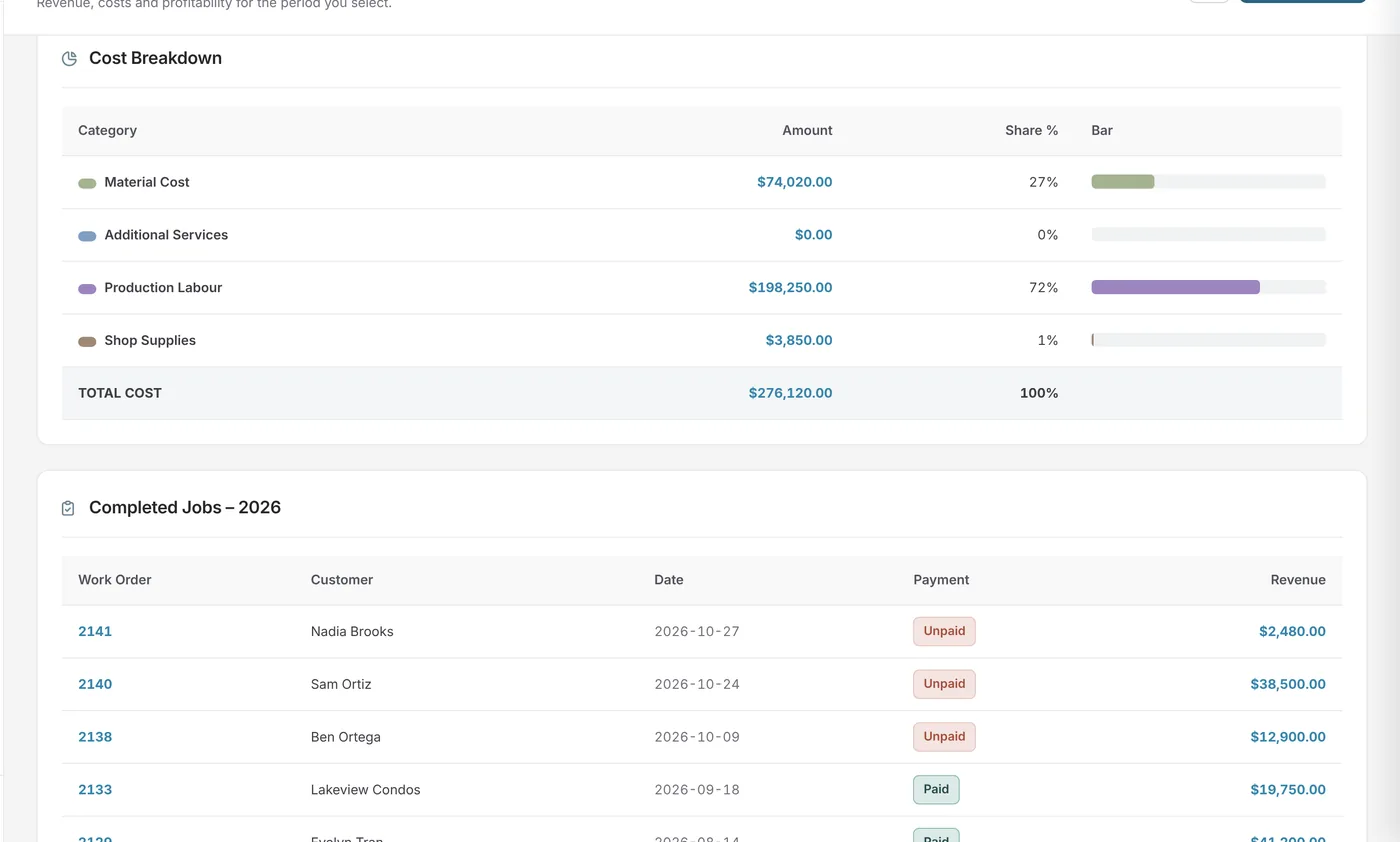
See the cost breakdown across material, services, labour and shop supplies, revenue by material, and the completed jobs in the period with their payment status. Purchase orders and other expenses are listed for the period and subtracted to give net profit.
What changes
Net profit and margin for any month or year.
See how much is still owed, and what share of revenue it is.
Purchase orders and expenses reduce profit for the period they fall in.
Tax collected, tax paid and the difference.
Every headline figure is compared with the period before.
Print a PDF or export a CSV for your accountant.
Example
An owner reviews July to September before a planning meeting.
FAQ
Can’t find your answer? Send us a message and we’ll get back to you.
Net revenue before tax, minus the purchase orders and other expenses recorded for the same period, each before tax.
Tracking what each job cost in materials, labour and supplies, so you can compare it with what you charged. Universal Workflow uses the costs on each job's estimate and the purchase orders tied to it.
Yes. Analytics shows tax collected on invoices, tax paid on purchase orders and expenses, and the net amount.
Yes. Export revenue to CSV or print the page as a PDF.
Job costing and profit tracking are on Essentials and above. Full analytics is on Growth and Premium.
Your next job starts here
Start free with Growth features for 14 days, including full analytics.
Free forever plan · No credit card required